MYOB DAGANG 17 LAPORAN KEUANGAN
Summary
TLDRThis tutorial video demonstrates how to use Mayob accounting software to generate key financial reports for a trading company. It covers the step-by-step process for displaying a profit and loss statement, balance sheet, cash flow statement, customer and supplier ledgers, and inventory reports. Each report is customized for the year 2014 and verified against reference pages in the manual to ensure accuracy. The tutorial is designed to help students master the software, enabling them to apply these skills in real-world business scenarios, particularly in the field of accounting for trading companies.
Takeaways
- 😀 The video demonstrates how to display financial reports for a trading company using Mayob accounting software.
- 📊 Users are guided step-by-step to generate a Profit & Loss (Income Statement) report, ensuring the period is set from January to December 2014 and matching values with the manual.
- 📈 Instructions are provided for producing a Balance Sheet, verifying it against the corresponding page in the manual.
- 💵 The video explains how to prepare a Statement of Cash Flow, including customization of the reporting period and cross-checking with manual figures.
- 🧾 Guidance is given on generating a Customer Ledger report to track accounts receivable, with emphasis on accurate period selection.
- 💳 Steps are outlined for producing a Supplier Ledger report to monitor accounts payable, ensuring consistency with manual values.
- 📦 Instructions are provided for generating an Inventory report (Item Register Detail), covering multiple categories such as merchandise, equipment, and vehicles.
- ✅ Emphasis is placed on verifying each report against the manual to ensure accuracy before closing or finalizing the report.
- 🛠 The video highlights that Mayob contains numerous reports, but the focus is on the key reports relevant for learning and practical application.
- 🎓 The tutorial aims to help students understand Mayob software functionality so they can apply it effectively in real-world business and industry scenarios.
- 🗂 The process includes inputting all company documents before generating reports to ensure complete and accurate financial statements.
- 📅 Users are repeatedly reminded to set the correct reporting period (from January to December 2014) for each report.
Q & A
What is the main focus of the video tutorial?
-The video focuses on how to prepare and display financial reports for a trading company using Mayob accounting software. It covers generating key reports like income statements, balance sheets, cash flow statements, accounts receivable, accounts payable, and inventory reports.
What are the first steps to generating a Profit and Loss (P&L) report in Mayob?
-To generate the P&L report in Mayob, you need to click 'Report', then 'Index Report', followed by 'Profit Loss'. After that, customize the date range from January to December 2014 and click 'Display' to view the report.
How can you verify that the generated P&L report is accurate?
-You can verify the accuracy of the generated P&L report by comparing it to the example on page 164 of the manual. If the numbers match, the report is correct.
What steps are involved in generating a balance sheet in Mayob?
-To generate a balance sheet, click 'Standard Report', then 'Customize'. Make sure the date range is set to December 31, 2014, and click 'Display'. Compare the results with the figures in the manual on page 165 to ensure accuracy.
How do you generate a cash flow statement in Mayob?
-To generate the cash flow statement, click 'Statement of Cash Flow', then 'Customize'. Adjust the date range from January 1, 2014, to December 31, 2014, and click 'Display'. Verify the results by comparing with the example on page 166.
What is the purpose of generating a 'Customer Ledger' in Mayob?
-The 'Customer Ledger' report is used to view the accounts receivable, detailing the amounts owed by customers. To generate it, click 'Customer Ledger', then 'Customize', set the date range, and click 'Display'. Ensure it matches the example on page 167.
How do you generate a 'Supplier Ledger' report?
-To generate the 'Supplier Ledger' report, click 'Supplier Ledger', then 'Customize'. After setting the appropriate date range, click 'Display' and compare the results with the example on page 168 to verify correctness.
What is the process for generating an inventory report in Mayob?
-To generate an inventory report, click 'Item Register Detail' and then 'Customize'. This report will display all inventory items, such as merchandise, supplies, equipment, and vehicles. Ensure that the data covers the entire range and compare it with the manual examples.
What are some of the key reports discussed in the video tutorial?
-The key reports discussed include the income statement (P&L), balance sheet, cash flow statement, customer ledger, supplier ledger, and inventory report.
Why is it important to compare the generated reports with the examples in the manual?
-Comparing the generated reports with the examples in the manual ensures that the data has been entered correctly and that the reports are accurate. This step helps to identify any discrepancies and ensure that the financial reports reflect the company's actual financial situation.
Outlines

Esta sección está disponible solo para usuarios con suscripción. Por favor, mejora tu plan para acceder a esta parte.
Mejorar ahoraMindmap

Esta sección está disponible solo para usuarios con suscripción. Por favor, mejora tu plan para acceder a esta parte.
Mejorar ahoraKeywords

Esta sección está disponible solo para usuarios con suscripción. Por favor, mejora tu plan para acceder a esta parte.
Mejorar ahoraHighlights

Esta sección está disponible solo para usuarios con suscripción. Por favor, mejora tu plan para acceder a esta parte.
Mejorar ahoraTranscripts

Esta sección está disponible solo para usuarios con suscripción. Por favor, mejora tu plan para acceder a esta parte.
Mejorar ahoraVer Más Videos Relacionados
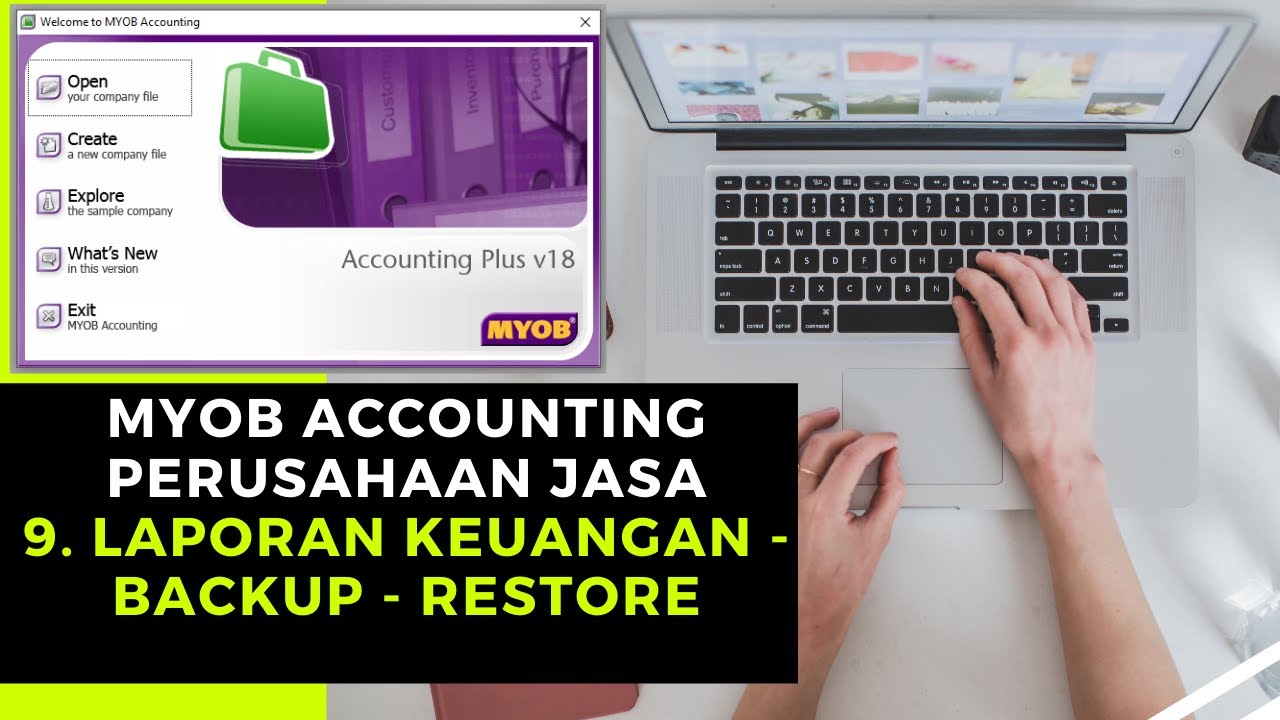
Myob Accounting Perusahaan Jasa - Laporan Keuangan, Backup & Restore
PT Kharisma Digital - Cara Membuat data Awal Perusahaan dan Import Daftar Akun
[ADVANCED FEATURES] Multi company setup

PERKENALAN APLIKASI MYOB ACCOUNTING (TEORI)

Wave Accounting Tutorial for Small Business | FREE Accounting Software (Beginners Overview)
UD Mawar Cool - Pembahasan Cara Import Daftar Akun Perusahaan Dengan Accurate - UKK Akuntansi 2025
5.0 / 5 (0 votes)

