Cisco Packet Tracer - Membangun Jaringan Peer to Peer di Cisco Packet Tracer 8.2
Summary
TLDRIn this tutorial, the video guides viewers through the process of creating a basic peer-to-peer network using Cisco Packet Tracer. It covers the use of different cable types (crossover and straight-through) to connect devices like PCs and switches. The presenter explains the configuration of IP addresses for connected PCs, demonstrates pinging between devices to test connectivity, and highlights practical steps in network simulation. The video also discusses the importance of using the correct cable types for different devices and how modern technologies have simplified this process. Additional exercises and downloadable modules are provided.
Takeaways
- 😀 The video tutorial teaches how to create a peer-to-peer network using Cisco Packet Tracer.
- 😀 A peer-to-peer network connects devices equally without a central server, allowing shared resources.
- 😀 Cross-over cables are used to connect devices of the same type, such as PC to PC or switch to switch.
- 😀 Straight-through cables are used to connect devices of different types, like PC to switch or router to switch.
- 😀 Modern networks often support auto-MDI, which allows flexible cable usage regardless of type.
- 😀 Devices in the network must have IP addresses within the same subnet for communication.
- 😀 IP addresses can be configured via Desktop → IP Configuration or via the Config menu for each device.
- 😀 Network connectivity can be tested using the ping command in the command prompt or by sending PDUs.
- 😀 Switches are used to connect multiple PCs and allow devices of different types to communicate using straight-through cables.
- 😀 Labels in Cisco Packet Tracer help organize and identify devices, making the network easier to understand and manage.
- 😀 The tutorial emphasizes step-by-step testing to verify successful connectivity before moving to the next configuration step.
Q & A
What is the main topic of this tutorial?
-The main topic of this tutorial is how to create and configure a basic peer-to-peer network using Cisco Packet Tracer.
What is a peer-to-peer network?
-A peer-to-peer network is a type of network where each device is equal, meaning there is no central server and all devices can share resources with each other.
What are the two types of cables mentioned for connecting devices in the tutorial?
-The two types of cables mentioned are crossover cables and straight-through cables.
How do crossover cables differ from straight-through cables?
-Crossover cables are used to connect similar devices, such as PC-to-PC or router-to-router, while straight-through cables are used to connect different devices, like a PC to a switch or router to a switch.
What technology allows modern networks to use either crossover or straight-through cables for the same device connections?
-The technology that allows modern networks to use either crossover or straight-through cables for the same device connections is called Auto-MDI (Automatic Medium-Dependent Interface).
What is the purpose of using Cisco Packet Tracer in this tutorial?
-Cisco Packet Tracer is used in this tutorial to simulate the creation and configuration of a network without needing actual physical devices.
How do you configure the IP addresses for the devices in this simulation?
-The IP addresses for the devices are configured by selecting the device, opening the 'Desktop' tab, and then choosing 'IP Configuration'. The static IP addresses are manually entered into the provided fields.
What is the significance of the 'ping' command in this tutorial?
-The 'ping' command is used to test the network connection between devices, ensuring that the devices are able to communicate with each other. If the ping is successful, the devices are properly connected.
What does a 'Request Timed Out' message indicate when using the ping command?
-A 'Request Timed Out' message indicates that the target IP address is unreachable, meaning there is no connection between the devices or the IP is incorrect.
What does the use of 'PDU' (Protocol Data Unit) allow in the Cisco Packet Tracer simulation?
-The use of 'PDU' in Cisco Packet Tracer allows users to send simulated data packets between devices, providing a way to test if data can flow properly from one device to another.
Outlines

此内容仅限付费用户访问。 请升级后访问。
立即升级Mindmap

此内容仅限付费用户访问。 请升级后访问。
立即升级Keywords

此内容仅限付费用户访问。 请升级后访问。
立即升级Highlights

此内容仅限付费用户访问。 请升级后访问。
立即升级Transcripts

此内容仅限付费用户访问。 请升级后访问。
立即升级浏览更多相关视频
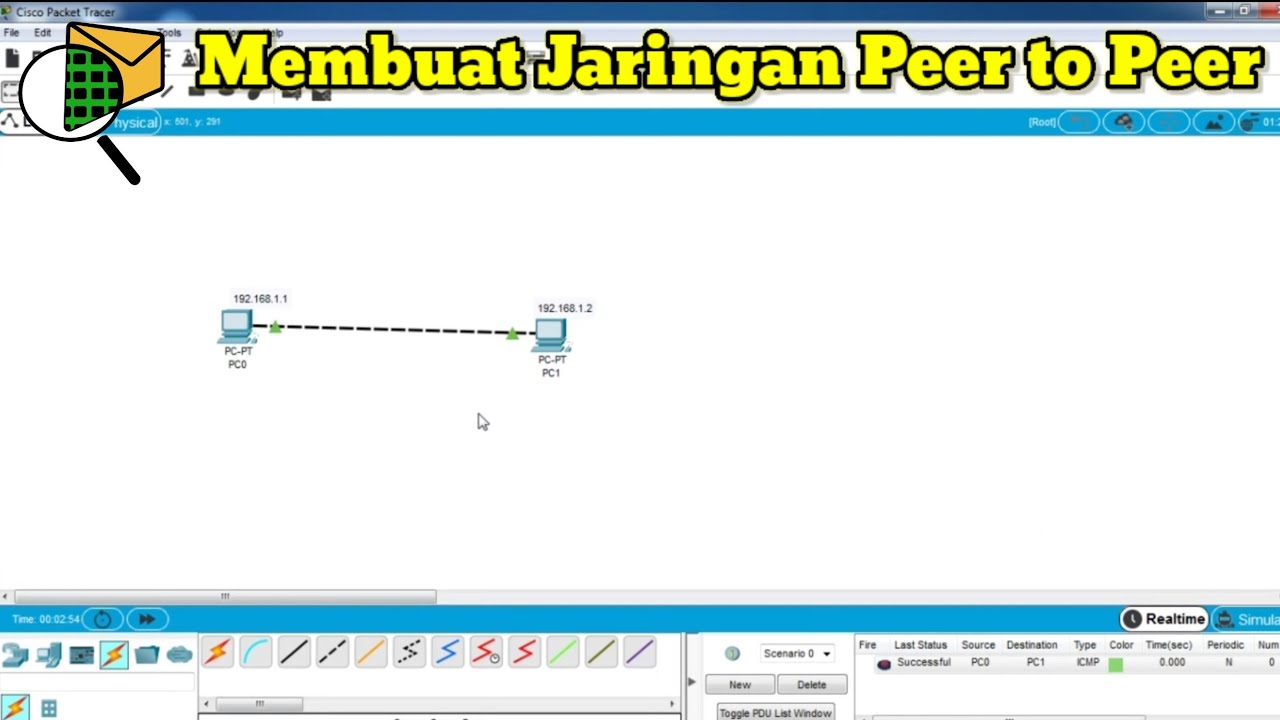
Cara Membuat Jaringan Peer To Peer di Cisco Packet Tracer
Basics of Cisco Packet Tracer (Part 1)

Jaringan Komputer Sederhana | Tutorial Belajar Online Lengkap CISCO CCNA 200-301 Part 5

Netzwerktutorial: Cisco Packet Tracer - Installation, Konfiguration & ein erster Aufbau

Cisco Packet Tracer | Everything You Need to Know
Membuat Jaringan PAN pada Cisco Packet Tracer
5.0 / 5 (0 votes)

