Configura tu Router Wifi 1: Instalación, configuración inicial y Wan
Summary
TLDRThis tutorial series guides users through the step-by-step process of setting up routers from scratch. It covers basic to advanced configurations, including connection methods, security features, and how to optimize settings for gaming or streaming. Focusing on the Rock Space router, the series explores essential functions like dual-band Wi-Fi, MU-MIMO technology, and port forwarding. It also explains advanced features such as using old routers as Wi-Fi repeaters and configuring DNS settings. The aim is to empower users to maximize their router's potential and troubleshoot common issues effectively.
Takeaways
- 😀 The tutorial series focuses on step-by-step router configuration, from unboxing to advanced functions like security, gaming setups, and streaming.
- 😀 The tutorial will use the Rock Space AC1200 router, which is a good balance of price and performance, offering features like MU-MIMO and beamforming.
- 😀 MU-MIMO technology allows the router to handle up to four devices simultaneously, improving internet performance when multiple devices are connected.
- 😀 Beamforming technology boosts Wi-Fi signal strength towards devices that are far away or experiencing weak signals.
- 😀 The Rock Space router has dual-band Wi-Fi (2.4GHz and 5GHz) to improve connectivity and range. The bands can also be unified for seamless device connection.
- 😀 The router features an easy-to-use mobile app for configuration and also supports USB file server functionality, which allows sharing files over the network.
- 😀 Routers typically include 4 LAN ports (RJ45) for wired connections and a WAN port for the internet connection. Proper cable management is crucial for setup.
- 😀 The router's IP address (usually a private IP like 192.168.x.x) must be accessed through a browser for configuration. This may vary by manufacturer.
- 😀 If you forget your router password or settings become incorrect, you can reset the router to factory settings, typically by holding down a button for a few seconds.
- 😀 The router setup wizard allows users to configure the connection type (dynamic or static IP) and configure DNS settings. A static IP provides a fixed address while a dynamic IP may change periodically.
- 😀 DNS servers help translate domain names (e.g., google.com) into IP addresses. Users can set their preferred DNS servers for better performance or security, though the default automatic setting is typically fine.
Q & A
What is the main purpose of this series of tutorials?
-The main purpose of the tutorial series is to teach how to configure routers from scratch, covering both basic and advanced settings like security, device management, and performance optimization, step by step.
Why was the Rock Space RS-06-14 router chosen for the tutorial?
-The Rock Space RS-06-14 router was chosen because of its excellent price-to-quality ratio and its support for essential router features like Wi-Fi signal focusing (beamforming) and MU-MIMO technology, making it ideal for improving connectivity and speed.
What is 'beamforming' in the context of the Rock Space router?
-Beamforming is a technology that helps direct the Wi-Fi signal towards specific devices, improving signal strength and coverage, especially in areas with obstacles like walls or furniture.
What does 'MU-MIMO 4x4' refer to in the router?
-MU-MIMO 4x4 refers to the router’s ability to handle multiple devices simultaneously. This router can handle up to 4 devices at the same time, improving overall performance when many devices are connected.
How can the Wi-Fi range of the router be extended?
-The router can be connected to another Wi-Fi router to act as a repeater, expanding the Wi-Fi coverage area. It can also be used with a dedicated Wi-Fi repeater from the same brand.
What are the two Wi-Fi frequency bands available on the Rock Space router?
-The Rock Space router offers two Wi-Fi bands: a 2.4 GHz band for better coverage but slower speeds, and a 5 GHz band for faster speeds but shorter range.
What is the significance of the USB port on the router?
-The USB port on the router allows it to function as a file server, enabling users to share files across the network easily.
What should you do if you forget the router's password?
-If you forget the password or make changes that lock you out, you can reset the router to factory settings. On the Rock Space router, this is done by holding the 'VPS' button for a few seconds, or using a small tool like a paperclip to press a reset button.
What are the two types of internet connection configurations supported by the router?
-The router supports two connection configurations: dynamic IP (assigned by the internet service provider, which may change periodically) and static IP (a fixed address that doesn't change).
What is the role of the DNS (Domain Name System) configuration on the router?
-The DNS configuration helps the router translate human-readable domain names (like google.com) into IP addresses, allowing devices on the network to access websites. You can either use the default DNS provided by the ISP or configure custom DNS servers, like Google's (8.8.8.8).
Outlines

This section is available to paid users only. Please upgrade to access this part.
Upgrade NowMindmap

This section is available to paid users only. Please upgrade to access this part.
Upgrade NowKeywords

This section is available to paid users only. Please upgrade to access this part.
Upgrade NowHighlights

This section is available to paid users only. Please upgrade to access this part.
Upgrade NowTranscripts

This section is available to paid users only. Please upgrade to access this part.
Upgrade NowBrowse More Related Video
Proxy Server Configuration Using Cisco Packet Tracer in Hindi
Belajar Membuat Website Portal Berita dengan Codeigniter 3 - #1
Scratch : Proyek Pertumbuhan N Hari & Proyek Capaian Pertumbuhan | Informatika Kelas 9
ROUTING STATIS
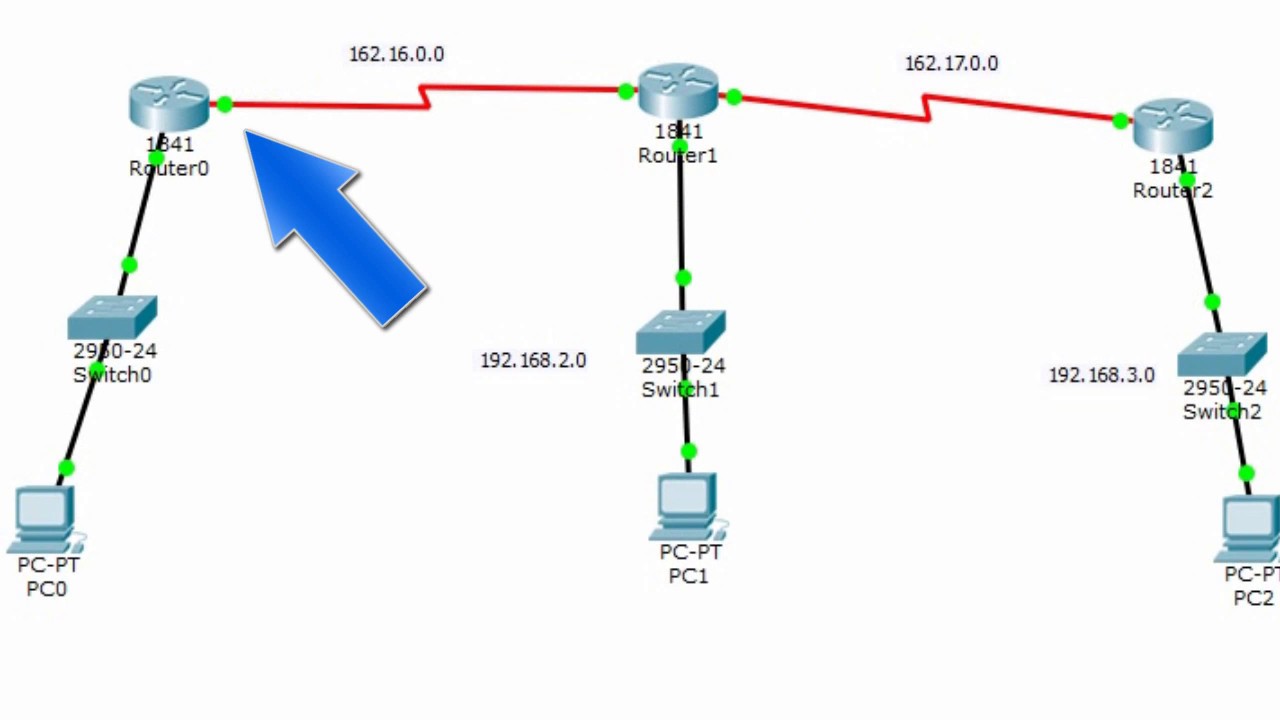
Enrutamiento estatico (3 router) Packet Tracer

Part2 Maze Runner : Menggunakan Custom Blok
5.0 / 5 (0 votes)
