Order-to-Cash Process in SAP SD – Step by Step (Full Beginner Guide 2025)
Summary
TLDRIn this video, SAPI Academy explores the critical *Order to Cash (O2C)* process in SAP SD, which tracks the flow from customer order to payment. The process includes five key steps: Pre-sales activities (inquiry and quotation), Sales order creation, Delivery process, Billing and FI integration, and Payment processing. Each stage involves specific SAP transactions (VA11, VA21, VA01, VL01N, VF01, F28) and integrates various SAP modules (SD, MM, FI). This process ensures smooth business operations, from sales to financial accounting, converting sales into recognized revenue and completing the O2C cycle.
Takeaways
- 😀 O2C (Order to Cash) is the end-to-end process in SAPSD that starts when a customer places an order and ends when the company receives payment.
- 😀 The O2C process involves multiple departments: Sales and Distribution (SD), Materials Management (MM), and Financial Accounting (FI).
- 😀 Pre-sales activities include Inquiry (VA11) and Quotation (VA21), which help establish customer communication before the order is placed.
- 😀 The sales order creation (VA01) is the foundation of the entire O2C process and pulls data from master records like customer, material, and pricing information.
- 😀 The delivery process (VL01N) ensures the movement of goods from the warehouse to the customer, including picking, packing, and posting goods issue (PGI).
- 😀 Billing (VF01) represents the customer invoice and bridges the SD and FI modules, ensuring financial accounting is updated when goods are delivered.
- 😀 Payment processing (F28) is the final step where payments are recorded, and open receivables are cleared, completing the O2C cycle.
- 😀 A key takeaway is the importance of maintaining a clear document flow from sales order → delivery → billing → payment to track revenue accurately.
- 😀 SAPSD consultants should double-check master data (customer, material, pricing) before testing O2C processes to ensure smooth workflow.
- 😀 The O2C process tracks the entire revenue flow, ensuring sales are properly recorded and revenue is recognized when payment is received.
Q & A
What is the 'Order to Cash' (O2C) process in SAPSD?
-The O2C process in SAPSD is an end-to-end business process that starts when a customer places an order and ends when the company receives payment. It connects departments such as Sales and Distribution (SD), Materials Management (MM), and Financial Accounting (FI) to ensure smooth revenue tracking from customer demand to cash collection.
What are the main pre-sales documents in SAPSD and what do they do?
-The two main pre-sales documents in SAPSD are the Inquiry (VA11) and Quotation (VA21). The Inquiry is a request for information from the customer and does not have a financial impact, while the Quotation is the company's official offer, which includes pricing, discounts, and delivery terms. If accepted, it forms the basis for creating a sales order.
How does SAP simplify the creation of a sales order (VA01)?
-When creating a sales order using transaction VA01, SAP automatically pulls data from master records such as customer details, product descriptions, and pricing conditions. It also checks availability and credit limits, reducing the need for manual data entry.
What happens during the delivery process (VL01N) in SAPSD?
-In the delivery process (VL01N), a delivery document is created that references the sales order, initiating the movement of goods. Warehouse staff pick and pack the products, and once the goods are shipped, the system posts a goods issue (PGI), which updates inventory levels in MM and records financial entries in FI.
What role does billing play in the O2C process in SAPSD?
-Billing, handled through transaction VF01, is the process of creating an invoice for the customer. It involves generating a billing document, posting financial entries to FI, and sending the invoice to the customer. This step ensures the revenue from the sale is officially recognized in the company's financial records.
How does SAP handle payment processing in the O2C cycle?
-Payment processing in SAPSD is managed through transaction F28. When the customer makes a payment, the payment is matched with the open item (invoice) in SAP, and once posted, the system automatically updates the bank account and clears the customer's receivable.
What is the importance of the sales order in the O2C process?
-The sales order is critical in the O2C process as it serves as the foundation for all subsequent steps. It controls the delivery and billing process, ensuring that customer orders are properly fulfilled and financially recorded.
What is the purpose of posting goods issue (PGI) in the delivery process?
-Posting goods issue (PGI) is the final step in the delivery process. It reduces stock levels in MM and automatically generates financial entries in FI, reflecting the movement of goods. This step ensures that inventory and financial records are aligned with the physical shipment of goods.
How does SAP ensure that revenue recognition is properly handled during the O2C cycle?
-Revenue recognition is handled when the billing document is created in VF01. SAP posts accounting entries that reflect both the sale and the receivable, ensuring that the company’s financial records are updated correctly and that revenue is recognized at the appropriate time.
What are some tips for SAP consultants to effectively manage the O2C process?
-SAP consultants should double-check the document flow in the O2C process, ensuring the correct sequence: Sales Order → Delivery → Billing → Payment. They should also verify that master data, such as customer, material, and pricing information, is complete before testing the process and use transaction VA03 to track the entire document chain.
Outlines

This section is available to paid users only. Please upgrade to access this part.
Upgrade NowMindmap

This section is available to paid users only. Please upgrade to access this part.
Upgrade NowKeywords

This section is available to paid users only. Please upgrade to access this part.
Upgrade NowHighlights

This section is available to paid users only. Please upgrade to access this part.
Upgrade NowTranscripts

This section is available to paid users only. Please upgrade to access this part.
Upgrade NowBrowse More Related Video

Order to Cash (O2C) Overview: SAP S4HANA Full Demo (GUI / FIORI)
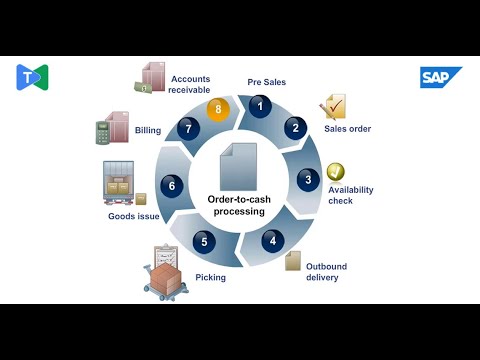
How SAP SD Transforms Sales: The Order-to-Cash Journey Explained
MENGENAL LEBIH DALAM TUGAS ADMIN AP (ACCOUNT PAYABLE) | BISNIS | DCONSULTING
SAP B1 Integration mit DocuWare
#9 Sistem Informasi Akutansi & Keuangan - Pertemuan 9 | Aplikasi Penjualan dan Penerimaan Tunai

How to Create a Purchase Order in SAP S/4HANA
5.0 / 5 (0 votes)
