Every SSD Type Explained In 8 Minutes
Summary
TLDRThis video breaks down the confusing world of SSDs by explaining key terms like SATA, AHCI, M.2, PCIe, and NVMe in simple language. It covers the evolution of SSD technology, from the slow but reliable SATA to the lightning-fast NVMe paired with PCIe. The video also offers practical advice on what kind of SSD to buy based on your system’s needs, with tips on upgrading and optimizing performance. Whether you're upgrading an old system or building a new one, this guide helps you make an informed decision without the tech jargon.
Takeaways
- 💾 SATA SSDs are the classic, budget-friendly option that significantly improve speed over traditional hard drives but are limited to around 550 MB/s.
- 🗣️ AHCI is the older protocol used by SATA drives, designed for hard drives, which can bottleneck modern SSD speeds.
- 📏 M.2 is a form factor for SSDs, indicating shape and connector, not necessarily speed; M.2 drives can be either SATA or NVMe.
- 🛣️ PCIe is the high-speed interface for modern SSDs, with multiple lanes allowing much faster data transfer compared to SATA.
- ⚡ NVMe is the protocol designed specifically for SSDs, supporting massive parallel tasks and very low latency, enabling lightning-fast performance.
- 🚀 PCIe and NVMe together unlock the full potential of modern SSDs, providing real-world speed gains for gaming, editing, and large file transfers.
- 📊 SATA SSDs are ideal for older systems or budget builds, while NVMe PCIe SSDs are recommended for new, high-performance setups.
- 🖥️ AHCI is stable and compatible but not optimized for flash storage, while NVMe is built for modern SSD speeds and multitasking.
- -
- 🏎️ M.2 SSDs may look sleek and small, but the actual performance depends on whether they use SATA or NVMe technology inside.
- 🎮 Upgrading to an NVMe drive not only improves boot and load times but also makes other system aspects, like display quality, more noticeable.
- 📚 Understanding these terms—SATA, AHCI, M.2, PCIe, NVMe—turns confusing 'alphabet soup' into a clear guide for choosing the right SSD.
Q & A
What is the main difference between SATA SSDs and modern SSDs?
-SATA SSDs are limited to around 550 megabytes per second, which is significantly slower than modern SSDs using PCIe and NVMe technology. While SATA SSDs were revolutionary when they first appeared, they are now considered outdated for high-performance tasks.
What does AHCI stand for and why is it important for SSDs?
-AHCI stands for Advanced Host Controller Interface. It was originally designed for hard drives, but was later carried over to SSDs. However, it can only handle a limited number of commands and is not ideal for the speed of modern SSDs, making it a bottleneck compared to newer technologies like NVMe.
What exactly is M.2 and how does it relate to SSD performance?
-M.2 refers to the physical form factor of the SSD—essentially the shape and connector of the drive. It does not necessarily imply that the drive is fast. While many modern M.2 drives use NVMe, some still use SATA technology, which limits their speed to around 550 MB/s.
How does PCIe improve SSD performance compared to SATA?
-PCIe (Peripheral Component Interconnect Express) offers multiple data lanes for faster data transfer, unlike SATA, which uses a single lane. PCIe 3.0 can deliver up to 3500 MB/s, PCIe 4.0 can go up to 7500 MB/s, and PCIe 5.0 can push 14,000 MB/s, offering vastly improved speed over SATA’s 550 MB/s.
What does NVMe stand for and why is it so important for modern SSDs?
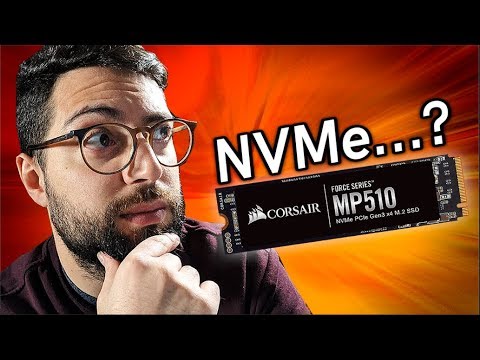
-NVMe stands for Non-Volatile Memory Express. It is a protocol designed specifically for SSDs to handle the high speed and parallelism of flash storage. NVMe supports up to 64,000 queues with 64,000 commands each, significantly reducing latency and enabling faster performance compared to AHCI.
What are the practical advantages of NVMe over AHCI for everyday tasks?
-NVMe drives are much faster than AHCI-based drives. For everyday tasks like gaming, file transfers, and multitasking, NVMe reduces load times, boosts transfer speeds, and improves system responsiveness. It enables near-instantaneous data access, making the user experience smoother and more efficient.
Can an M.2 SSD be slow even if it looks like it should be fast?
-Yes, the M.2 form factor only refers to the shape and connector of the SSD. Some M.2 drives still use the older SATA interface, which means they are limited to the same 550 MB/s speed. To ensure you’re getting a fast SSD, it’s essential to check whether it uses NVMe or SATA technology inside.
What is the main limitation of using AHCI for modern SSDs?
-The main limitation of AHCI is that it was designed for hard drives, not flash-based SSDs. It can only handle a single queue with up to 32 commands, which makes it inefficient for SSDs that can process thousands of tasks simultaneously. This results in slower performance and higher latency.
Why is PCIe considered the standard for high-performance SSDs today?
-PCIe is considered the standard for high-performance SSDs because it offers much higher data transfer speeds compared to SATA. With multiple lanes for data to travel simultaneously, PCIe can deliver significantly faster performance, making it ideal for demanding tasks like gaming, video editing, and large file transfers.
What do SATA, AHCI, M.2, PCIe, and NVMe all have in common?
-They all relate to different aspects of SSD technology. SATA is the older connection standard, AHCI is the protocol used with SATA drives, M.2 is the form factor, PCIe is the interface used for faster SSDs, and NVMe is the protocol designed specifically for flash storage. Together, they determine the performance, form, and speed of an SSD.
Outlines

This section is available to paid users only. Please upgrade to access this part.
Upgrade NowMindmap

This section is available to paid users only. Please upgrade to access this part.
Upgrade NowKeywords

This section is available to paid users only. Please upgrade to access this part.
Upgrade NowHighlights

This section is available to paid users only. Please upgrade to access this part.
Upgrade NowTranscripts

This section is available to paid users only. Please upgrade to access this part.
Upgrade Now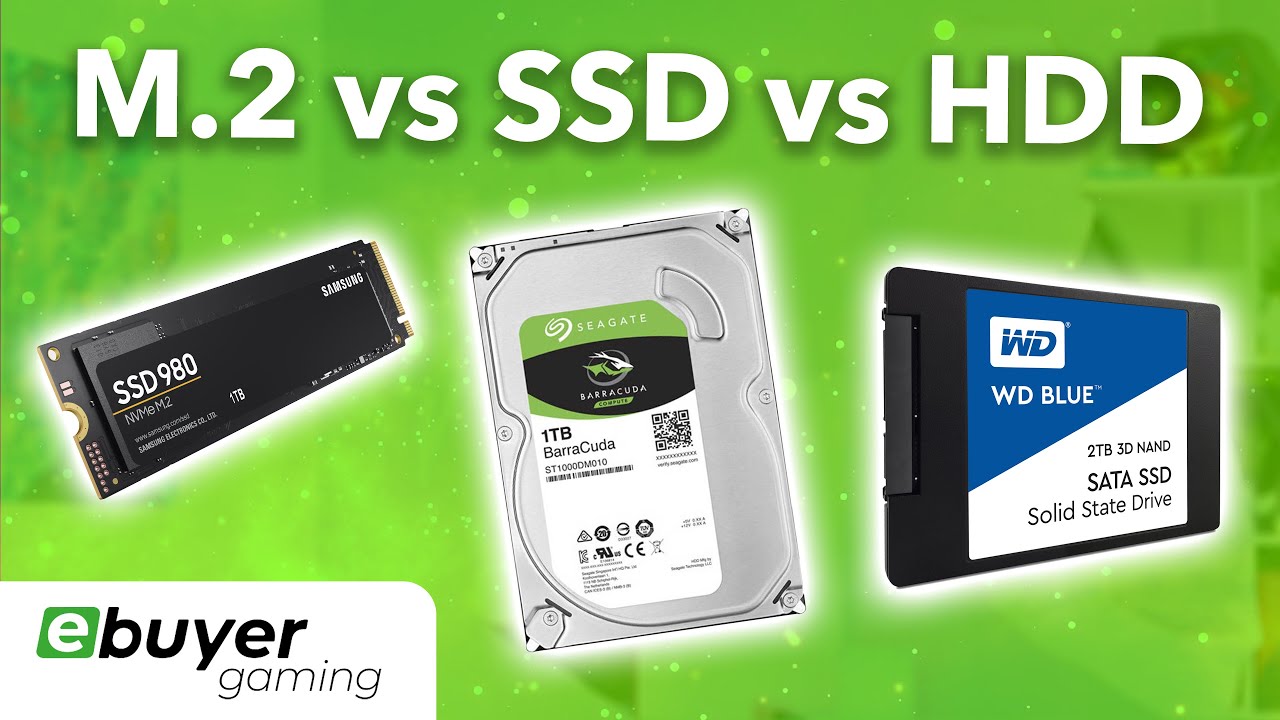


5.0 / 5 (0 votes)
