UPDATE Terbaru - Cara Login Coretax Pertama Kali | Cara Daftar Coretax | Cara Masuk ke Web Coretax
Summary
TLDRIn this video, the host guides viewers through the process of logging into the Cortex system for the first time. The tutorial covers three main scenarios: for those who have previously logged in to DJP online, those with an NPWP but no prior login, and those without an NPWP. It includes steps such as password recovery, email verification, setting up a new password, and common troubleshooting tips. The video also offers helpful advice on handling server delays and navigating the platform. The host emphasizes staying calm and persistent when facing challenges during the login process.
Takeaways
- 😀 Welcome to the video, wishing a smooth implementation of Cortex and a successful experience for users.
- 😀 To log into Cortex for the first time, visit pajak.om.k.id/cortexdjb in your browser.
- 😀 For those who have previously logged into DJP Online, select 'Forgot Password' to reset your login credentials.
- 😀 If you are a taxpayer with an NPWP but haven’t logged in yet, click on 'Activate Taxpayer Account'.
- 😀 New users who don’t have an NPWP yet should click 'Register Here'.
- 😀 To reset your password, enter your Nik or NPWP, and follow the instructions sent to your registered email.
- 😀 Password reset requires a valid email previously registered with DJP Online, not a new one.
- 😀 After resetting the password, create a new one that includes both uppercase and lowercase letters, as well as a symbol.
- 😀 The system may show error messages during login attempts due to server load, but persistence can resolve this.
- 😀 Once the password change is successful, users can log in using their updated credentials and access the Cortex interface.
- 😀 If you have any confusion or questions, feel free to ask in the comment section, and subscribe for more tutorials.
Q & A
How do I log in to Cortex for the first time?
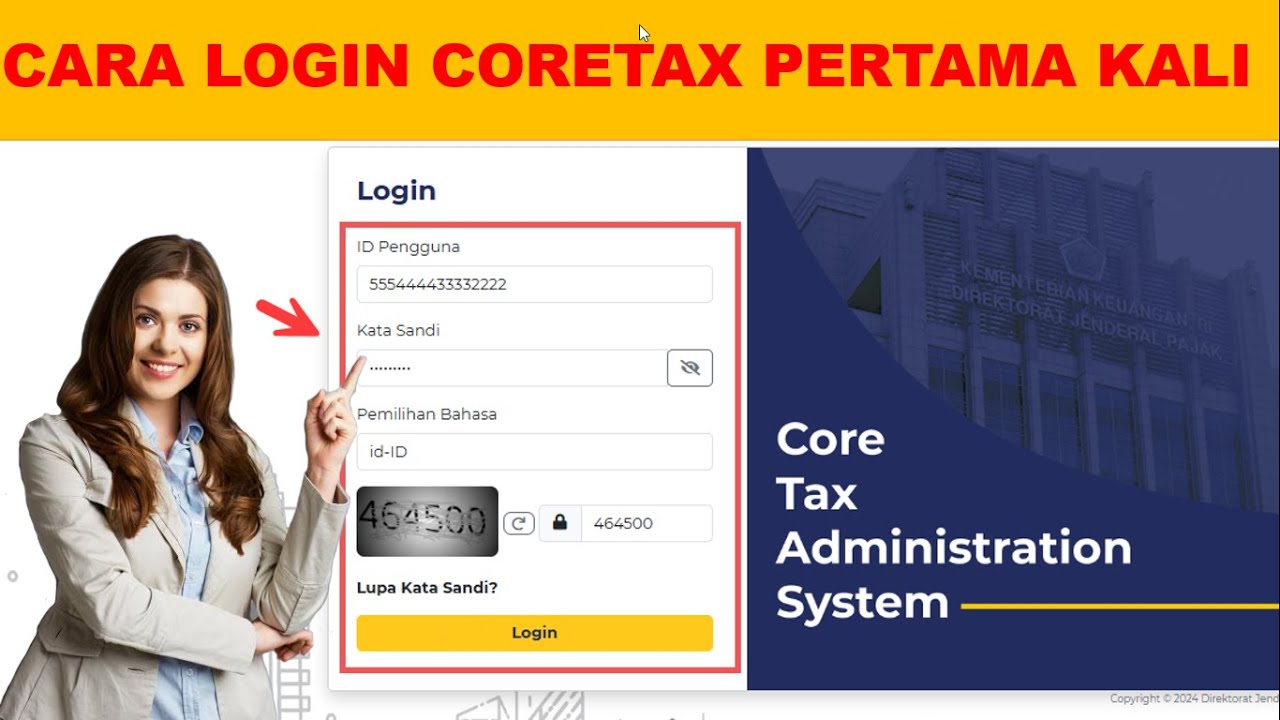
-To log in for the first time, go to the website 'pajak.om.k.id/cortex djb' on your browser. You'll encounter three options: 1) For users who have logged in to DJP Online before, click 'Forgot Password'. 2) For taxpayers with an NPWP but who have never logged in, click 'Activate Taxpayer Account'. 3) For those who are registering for the first time, click 'Register Here'.
What should I do if I have logged into DJP Online before?
-If you've logged into DJP Online before, scroll down the page and check the box to access Cortex. Then, enter your NIK or NPWP (16 digits) and your old password. After that, fill in the CAPTCHA and click 'Login'.
What happens if I forget my password?
-If you forget your password, click on 'Forgot Password'. You'll be asked to enter your NIK or NPWP (16 digits), and then choose your preferred method for receiving the reset link—either via email or phone number. The easiest way is to use the registered email.
Can I use a new email address to reset my password?
-No, you must use the email address that was previously registered in DJP Online. A new email address will not work for resetting your password.
How do I reset my password?
-To reset your password, after entering your NIK/NPWP and email, you will receive an email with a link to reset your password. Follow the link, and you'll be prompted to enter a new password, which must contain uppercase letters, lowercase letters, and symbols.
What should I do if I get an error message after attempting a password reset?
-If you receive an error message after attempting to reset your password, don't panic. This issue may occur due to server delays. Simply keep trying, as the server might be slow or overloaded.
What should I do if the password change is successful?
-Once your password is successfully changed, you'll see a confirmation message that says 'Password change successful'. After this, you can proceed to log in using your NIK/NPWP and the newly created password.
What is the process to log into Cortex after resetting the password?
-After resetting your password, go to the login page. Enter your NIK/NPWP and the new password, choose your preferred language (Indonesian or English), and complete the CAPTCHA. Then, click 'Login'.
What is the function of the 'Passpress' in the login process?
-The 'Passpress' is an electronic signature password used for signing documents in the system. It can either be the same as your new password or different. It should follow the same security requirements as your password, containing uppercase, lowercase, and symbols.
What should I do if I face difficulty accessing Cortex after logging in?
-If you're unable to access the Cortex features after logging in, it's likely due to server performance issues. In such cases, try again later or reach out for support. If you're still stuck, consider asking in the comment section for additional help.
Outlines

This section is available to paid users only. Please upgrade to access this part.
Upgrade NowMindmap

This section is available to paid users only. Please upgrade to access this part.
Upgrade NowKeywords

This section is available to paid users only. Please upgrade to access this part.
Upgrade NowHighlights

This section is available to paid users only. Please upgrade to access this part.
Upgrade NowTranscripts

This section is available to paid users only. Please upgrade to access this part.
Upgrade NowBrowse More Related Video

Tutorial Cara Lapor SPT Masa PPN di Coretax di 2025 Status Nihil, Kurang Bayar/LB & Blling PPN
Cara Akses Coretax Pertama Kali | Setting Password Coretax

Things To Do After You Install Kali Linux 2023 - (FOR NOOBS)

The Best Keyboard at Every Price (Don’t Waste your Money)
How to Delete Files in Dropbox 2024?

Masih Bingung Soal Coretax? Bagaimana Cara Daftarnya? Intip Tutorialnya Yuk!
5.0 / 5 (0 votes)
