Bab 4 Sistem Komputer | Informatika Kelas 10 Kurikulum Merdeka
Summary
TLDRThis video provides a comprehensive overview of Computer Systems for 10th-grade students under the Merdeka Curriculum. It explains the key components of a computer, including hardware, software, and users, and describes various types of computers from microcomputers and personal PCs to mainframes and supercomputers. The video also covers human-computer interaction, interfaces like GUI and CLI, and collaborative software-hardware operations. Additionally, it introduces system operating functions, multitasking with Round Robin scheduling, and the CPU’s role in executing instructions. Finally, it presents a simplified conceptual computer model, helping viewers understand the basic workings of computer systems in an accessible and engaging way.
Takeaways
- 😀 Computers are electronic devices that receive input data, process it, and generate output in the form of information like text, images, sound, or video.
- 😀 A computer system consists of three main components: hardware, software, and the user. All components work together for the system to function.
- 😀 Hardware refers to the physical parts of a computer, such as the mouse, CPU, RAM, and printer, which are tangible and can be seen or touched.
- 😀 Software refers to the code and programs that instruct the computer to perform specific tasks, such as operating systems and applications.
- 😀 The user operates the computer, interacting with both hardware and software to perform various functions and tasks.
- 😀 There are different types of computers based on size and function, including microcomputers, personal computers (PCs), mini PCs, mainframe computers, and supercomputers.
- 😀 Microcomputers are the smallest and most common type, including devices like smartphones, tablets, and devices like Raspberry Pi and Arduino.
- 😀 Personal computers (PCs) are larger than microcomputers and are used for personal use, either in the form of desktops or laptops.
- 😀 Mainframe and supercomputers are used by large organizations for high-capacity data processing, with supercomputers being the most powerful, capable of performing trillions of operations per second.
- 😀 Human-computer interaction (HCI) involves various types of interfaces, including graphical user interfaces (GUI), command-line interfaces (CLI), and voice, image, or touch interfaces.
- 😀 The operating system (OS) is a software that manages hardware and software resources, enabling multitasking, managing memory, and controlling input/output operations for the computer.
Q & A
What are the three main components of a computer system?
-The three main components of a computer system are hardware, software, and the user. Hardware refers to the physical components, software consists of the programs that control the hardware, and the user is the individual who interacts with the computer.
What is the function of hardware in a computer system?
-Hardware refers to the physical parts of a computer that can be touched or seen, such as the mouse, keyboard, RAM, and printer. It is responsible for executing tasks but requires software to function properly.
How does software interact with hardware?
-Software is a collection of programs and instructions that control and manage hardware components. Without software, hardware cannot function as it would simply be a machine without purpose.
What is a microcomputer, and where is it commonly used?
-A microcomputer is a small computer that uses a microprocessor as its central processing unit (CPU). It is commonly used in everyday applications, such as smartphones, tablets, ultrabooks, and gaming consoles, due to its small size and affordability.
What is the difference between a personal computer (PC) and a mini PC?
-A personal computer (PC) is generally designed for individual use, either as a desktop or laptop, with larger storage and processing capacity. A mini PC, however, is smaller in size and used more commonly for industrial or professional purposes, offering higher memory and processing power than a PC.
What is a supercomputer, and what makes it unique?
-A supercomputer is the largest and most powerful type of computer, capable of performing trillions of operations per second. It is used by large organizations like NASA for highly complex tasks, such as controlling space missions or simulating scientific phenomena.
How do human-computer interactions work?
-Human-computer interactions are facilitated through different interfaces, such as Graphical User Interfaces (GUIs), Command Line Interfaces (CLI), and voice or image-based interfaces. These interfaces allow users to interact with computers using input devices like keyboards, mice, and voice commands.
What are the primary functions of an operating system?
-An operating system (OS) controls and manages the computer's hardware, provides user interfaces, manages files, handles multitasking, and ensures communication with peripherals and networks. Examples of operating systems include Windows, Linux, and MacOS.
What is multitasking in the context of an operating system?
-Multitasking refers to the ability of an operating system to handle multiple tasks or processes simultaneously. The OS uses algorithms like Round Robin to allocate time slices for each process, ensuring efficient task management even when the system has only one processor.
What is the role of the CPU in a computer?
-The Central Processing Unit (CPU) is the 'brain' of the computer. It executes instructions stored in memory and performs calculations through the Arithmetic Logic Unit (ALU). It controls the overall functioning of the computer by managing data processing and instruction execution.
What is the function of a conceptual machine in teaching computing principles?
-A conceptual machine is a simplified model designed to teach the basic principles of computing. It consists of memory units to store data and CPU registers to process it. The machine executes basic operations like inputting data, processing it, and executing instructions to help students understand how computers work at a fundamental level.
Outlines

This section is available to paid users only. Please upgrade to access this part.
Upgrade NowMindmap

This section is available to paid users only. Please upgrade to access this part.
Upgrade NowKeywords

This section is available to paid users only. Please upgrade to access this part.
Upgrade NowHighlights

This section is available to paid users only. Please upgrade to access this part.
Upgrade NowTranscripts

This section is available to paid users only. Please upgrade to access this part.
Upgrade NowBrowse More Related Video
Pengenalan Materi Informatika - Kelas X Semester Ganjil
Kurikulum Merdeka Materi Informatika Kelas 7 Bab 4 Sistem Komputer
SISTEM INFORMASI GEOGRAFIS (SIG) #geography #education #kurikulummerdeka
BAB II PENELITIAN SOSIAL | SOSIOLOGI KELAS X | KURIKULUM MERDEKA
Materi Matematika Kelas X Kurikulum Merdeka!! (Semester 2)
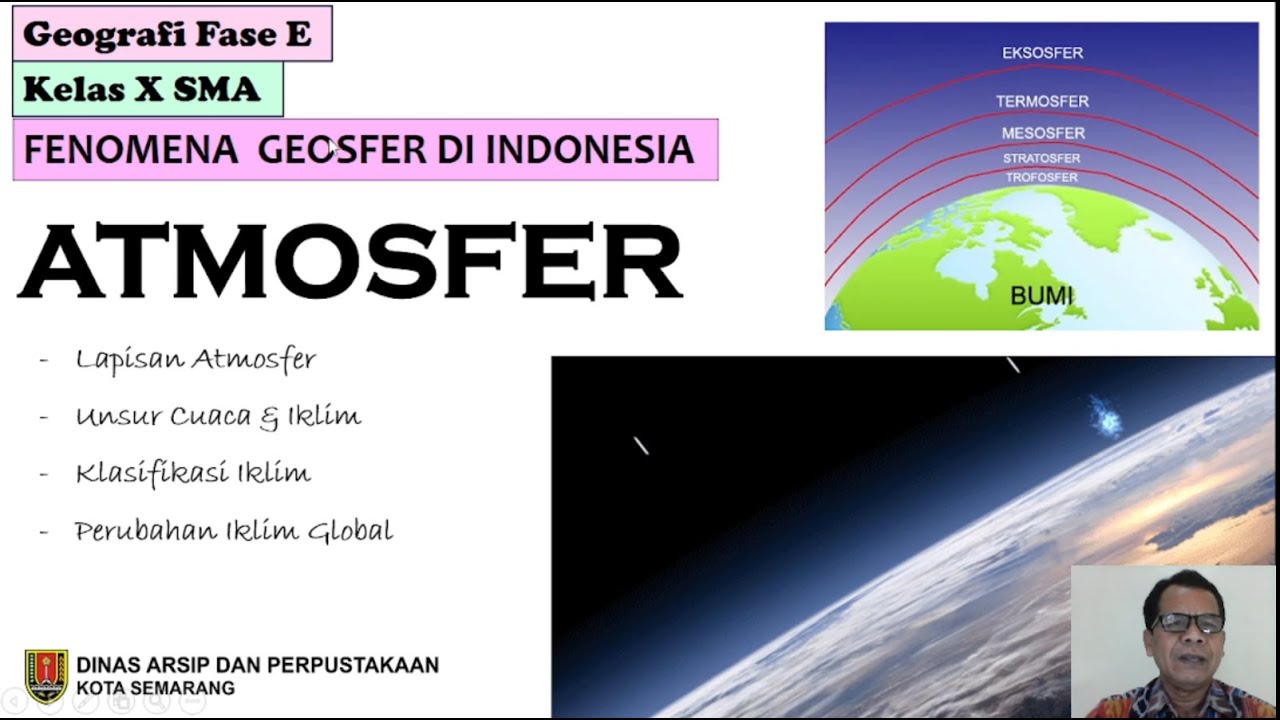
SMA KELAS X Geografi Fase E : Fenomena Geosfer Di Indonesia "ATMOSFER"
5.0 / 5 (0 votes)
