CARA MERAKIT PC | BAB 4. SISTEM KOMPUTER
Summary
TLDRThis video tutorial demonstrates the step-by-step process of assembling a computer, starting with an introduction to the various parts such as the power supply, motherboard, RAM, hard disk, and VGA. The presenter walks through each component's installation, explaining the importance of proper placement, handling, and connections. Key points include how to install the processor, attach the heatsink, set up the hard drive and DVD room, and secure the cables correctly. The video concludes with a successful test of the computer startup, ensuring all components are properly assembled and functioning.
Takeaways
- 😀 The script demonstrates how to assemble a computer from scratch, starting with introducing the essential components.
- 😀 It emphasizes the importance of understanding each part of the computer, such as the power supply, VGA, hard disk, RAM, DVD room, and motherboard.
- 😀 The motherboard is highlighted as the central part of the computer, connecting the processor, memory (RAM), power supply, and other components.
- 😀 Proper installation of the processor is crucial. Ensure alignment with the motherboard's triangular marking to avoid damage.
- 😀 The power supply unit (PSU) should be carefully placed with the fan facing downwards for optimal ventilation.
- 😀 The installation of the hard disk and DVD room is explained, including how to secure them with screws and connect the SATA cables.
- 😀 The process of installing the heatsink and fan for cooling is demonstrated, with emphasis on securely fastening them to avoid overheating.
- 😀 RAM installation is explained with attention to aligning the notches on the memory stick and ensuring it is properly seated in the slot.
- 😀 The installation of the VGA (graphics card) is shown, along with the proper way to secure it in place using screws.
- 😀 After assembling, the script concludes with a power-on test to ensure that all components are correctly connected and functioning.
Q & A
What is the first step in assembling a computer?
-The first step is introducing and familiarizing yourself with the components of the computer, such as the power supply, VGA card, RAM, hard disk, and other parts, before beginning the assembly.
What is the role of the motherboard in computer assembly?
-The motherboard is the central component in a computer build. It connects all other parts, including the processor, RAM, power supply, and storage devices, ensuring they work together properly.
How do you install the processor into the motherboard?
-To install the processor, align the triangle mark on the processor with the corresponding triangle symbol on the motherboard. Carefully place the processor in its socket, then lock it in place by moving the securing lever.
Why is it important to handle the motherboard and components carefully during assembly?
-The motherboard and its components are delicate and can easily be damaged by static electricity or incorrect handling. Careful handling ensures that the components function properly and prevents any potential damage.
What should be the orientation of the power supply during installation?
-The power supply should be installed with the fan facing downward to ensure proper ventilation. Incorrect placement of the power supply fan can affect airflow and cause overheating.
How do you install the RAM into the motherboard?
-To install the RAM, first align it with the memory slot, making sure the notch on the RAM sticks matches the slot. Press it gently but firmly into place until it clicks.
What is the purpose of the SATA cables in the assembly process?
-SATA cables are used to connect the motherboard to storage devices like hard disks or SSDs. They transfer data between the motherboard and the storage devices, allowing the computer to read and write data.
Why is it important to properly connect all power cables to the components?
-Properly connecting all power cables ensures that each component receives the correct voltage and current needed to function. Failure to do so can result in malfunction or even damage to the components.
How do you install the VGA card into the motherboard?
-To install the VGA card, align the card with the PCI slot on the motherboard. Insert the card firmly into the slot and secure it with screws to prevent it from moving.
What should you check before powering on the assembled computer?
-Before powering on, double-check all components to ensure they are securely installed, the cables are properly connected, and there are no loose parts. Then, verify the power button is in the 'on' position.
Outlines

This section is available to paid users only. Please upgrade to access this part.
Upgrade NowMindmap

This section is available to paid users only. Please upgrade to access this part.
Upgrade NowKeywords

This section is available to paid users only. Please upgrade to access this part.
Upgrade NowHighlights

This section is available to paid users only. Please upgrade to access this part.
Upgrade NowTranscripts

This section is available to paid users only. Please upgrade to access this part.
Upgrade NowBrowse More Related Video
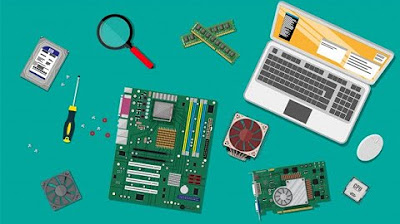
Komputer dan Jaringan Dasar - Merakit Komputer

Belajar Komputer Untuk Pemula | Fungsi Motherboard Dan Bagian-Bagiannya
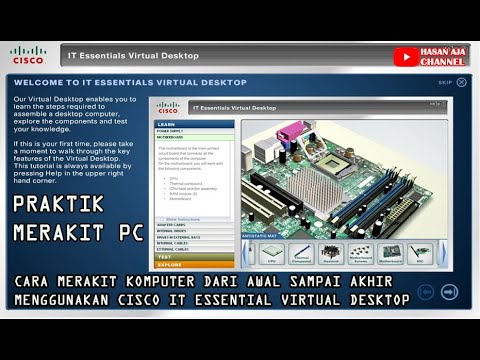
Cara Merakit Komputer Dari Awal Sampai Akhir Menggunakan Cisco IT Essentials Virtual Desktop

Video Perakitan Komputer

Tutorial Membongkar dan Merakit Komputer

Complete PC Assembling Guide (2025) | Learn to Build a Computer at Home
5.0 / 5 (0 votes)
