The Easy Way to Pick UI Colors
Summary
TLDRThis video delves into the essential principles of color selection for UI design, emphasizing the importance of neutral colors for background, text, and borders. The script explains how to create harmonious color palettes using the HSL model, adjusting lightness for shades and maintaining high contrast for text. It also explores how to fine-tune designs for both dark and light modes, integrating CSS for efficient implementation. The video touches on advanced color formats like LCH and OKLCH, offering insights into more natural color transitions and helping designers make informed decisions for vibrant, balanced UIs.
Takeaways
- 😀 Colors can be complex, but in UI design, simplicity is key—use neutral colors for backgrounds, text, and borders, with a brand or primary color for actions.
- 😀 A neutral color palette can be easily created using HSL format, where hue and saturation are set to zero, and lightness is adjusted to create shades.
- 😀 The HSL format offers a more intuitive approach to creating a harmonious palette compared to hex and RGB, which can be tricky to work with when creating shades.
- 😀 Dark mode often has a more dramatic impact on UI design, but both dark and light modes should be considered when choosing background and text colors.
- 😀 When designing for dark mode, start with a base color with 0% lightness, then increase lightness for other shades (e.g., 5% and 10%) for cards, raised elements, and highlights.
- 😀 For light mode, flip the lightness values by subtracting them from 100%, then manually adjust to ensure proper contrast and visibility of elements.
- 😀 It’s essential to keep text readable by using high-contrast colors for headings and slightly muted shades for body text to prevent visual fatigue.
- 😀 To add depth to your UI, use shadows with a mix of darker and lighter shades, and adjust transparency using alpha values for a more realistic effect.
- 😀 You don’t need to worry about hue or saturation at first when working with neutral palettes, but experimenting with them can add more character and vibrancy to your designs.
- 😀 LCH and OKLCH are color formats that handle lightness and saturation more naturally than HSL, and are becoming more common, especially with Tailwind CSS adopting OKLCH as the default format.
- 😀 Always make sure to test both dark and light modes, check the contrast, and adjust color settings based on user preference or automatically with media queries to create a user-friendly experience.
Q & A
Why is understanding colors in UI design considered complex?
-Color theory in UI design can get complicated because there are various ways to interpret and apply colors. The more you learn, the more you realize there are nuances in creating balanced color palettes, managing contrast, and ensuring accessibility, which can overwhelm designers if they dive too deep into color science.
What is the simplest approach to choosing colors for UI design?
-The simplest approach is to focus on three main color types: neutral colors for background and text, a brand or primary color for key actions, and semantic colors to represent various states or feedback. This approach covers almost everything needed in UI design without overcomplicating the process.
What are the key advantages of using HSL (Hue, Saturation, Lightness) for color palettes in UI design?
-HSL is intuitive because it allows designers to focus on adjusting lightness to create shades without worrying about the exact hue or saturation. This makes it easier to generate harmonious palettes for UI elements without confusion or inconsistency between code and visual design.
Why are Hex and RGB formats considered less ideal for creating color palettes?
-Hex and RGB values can be misleading when creating a harmonious palette because they don't provide as intuitive a way to manipulate color lightness and saturation, which are crucial for creating visually balanced designs. HSL, on the other hand, is based on color attributes that are easier to adjust for a consistent and logical palette.
How can one create multiple shades using HSL values?
-To create shades in HSL, you manipulate the lightness value. For instance, you can start with a base color (0% lightness), then adjust it by adding 5% for secondary elements (like cards) and 10% for raised or highlighted elements. This creates a gradient-like effect of subtle shades that are easy to work with.
How should text colors be managed in UI design for contrast and readability?
-For text, it's important to use high-contrast colors for headings and key elements to make them stand out, while using more muted shades for less important text. This ensures good readability without overwhelming the user visually.
How do you adapt background and text colors for light and dark modes?
-For light mode, you reverse the lightness values by subtracting them from 100. This way, your darkest color in dark mode becomes the lightest in light mode. You also need to tweak colors slightly based on visual judgment to make sure they remain legible and visually appealing in both modes.
What is the significance of using semantic colors in UI design?
-Semantic colors help convey different states (such as success, error, or warning) through color cues. They provide quick visual feedback to users, making it clear when an action has been successful, when there's an error, or when attention is required.
How can shadows be used effectively in UI design?
-Shadows add depth to UI elements, creating a sense of layering. Use a combination of darker, shorter shadows and lighter, longer shadows to create a more natural effect. Shadows help elements stand out and provide visual hierarchy, especially in light mode where contrasts may be more subtle.
What is OKLCH, and why is it relevant for UI design?
-OKLCH is a newer color format that builds on the concept of LCH (Lightness, Chroma, Hue). It is more accurate in terms of how colors appear on screens and is especially useful for UI design because it allows for finer adjustments in color saturation and brightness. Tailwind CSS has switched to OKLCH as its default format, which makes it a more modern choice for web design.
Outlines

This section is available to paid users only. Please upgrade to access this part.
Upgrade NowMindmap

This section is available to paid users only. Please upgrade to access this part.
Upgrade NowKeywords

This section is available to paid users only. Please upgrade to access this part.
Upgrade NowHighlights

This section is available to paid users only. Please upgrade to access this part.
Upgrade NowTranscripts

This section is available to paid users only. Please upgrade to access this part.
Upgrade NowBrowse More Related Video

Creating a Design System - Colors

Understand the Color System of Human Interface Guidelines 2023!

UI Design Principles | Everything You Need To Know

PowerPoint Ideas: Color Theory Basics That You Can Use for Better Slides

Dasar Desain Grafis X SMK - 03 Fungsi dan Unsur Warna
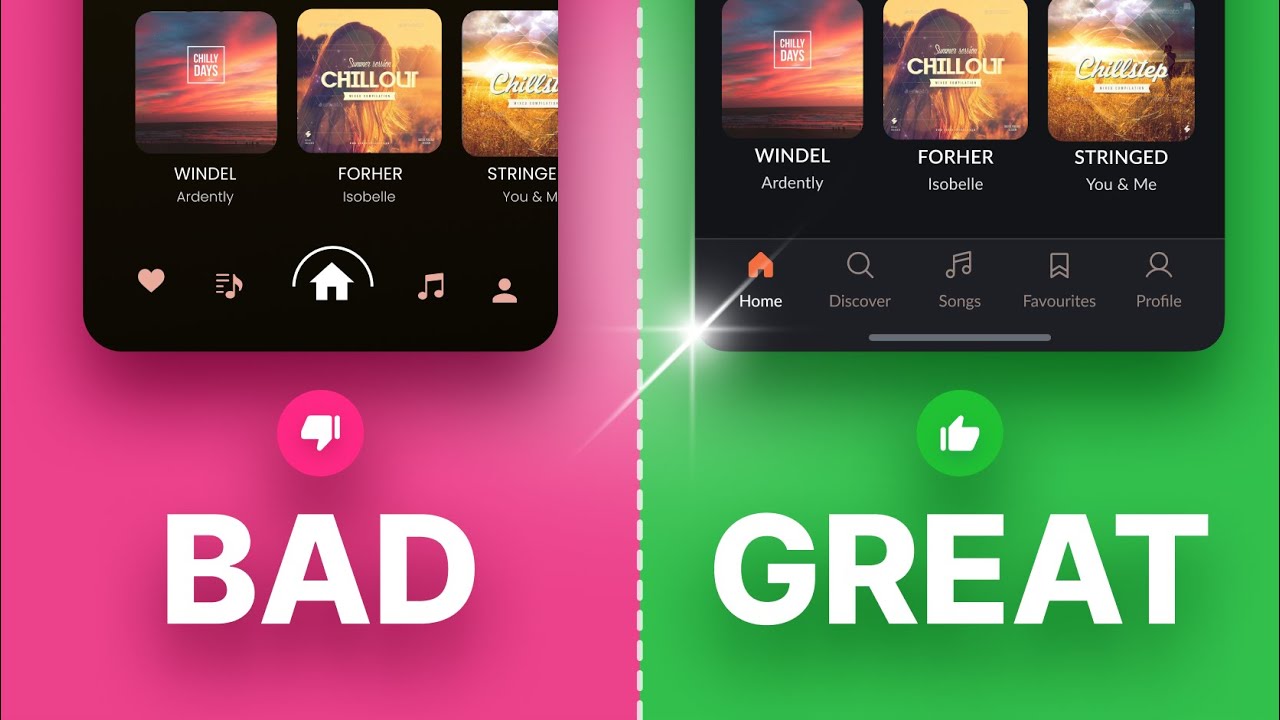
Top UI/UX Design Tips - How to Design a Great Bottom Mobile Navigation Bar
5.0 / 5 (0 votes)
