6 UX Design Mistakes While Designing a Dashboard
Summary
TLDRThis video outlines six common mistakes in designing enterprise dashboards. Key errors include poor navigation models, mismatched data visualizations, and static content that fails to engage users. The video emphasizes the importance of aligning the design with users' mental models, understanding different user roles, and using dynamic content. It also highlights the need for compact design, avoiding excessive padding, and providing customized views based on user needs. By avoiding these mistakes, you can create more effective, user-friendly dashboards that enhance data accessibility and usability.
Takeaways
- 😀 Getting navigational models right is crucial for dashboard usability. Global navigation should be at the top, with dashboard navigation on the left and breadcrumbs for deeper drill-downs.
- 😀 The user's mental model must be considered when designing dashboards. Align menu categories with how users expect to find content to ensure the dashboard is usable.
- 😀 Choosing the right data visualizations is key. Different types of charts, plots, and graphs are better suited for specific data and should align with the message you're trying to convey.
- 😀 Static content has no place in dashboards. A dashboard should focus on dynamic content to encourage repeat usage and engagement.
- 😀 Excess padding and white space in dashboards can create inconvenience. A compact design is important to provide easy access to data with minimal scrolling.
- 😀 Understanding user roles within an enterprise is essential. Different users have different needs, and dashboards should cater to these varying roles and objectives.
- 😀 Conducting extensive user research is critical for categorizing menus and understanding the needs of different users. This leads to more usable navigation models.
- 😀 Avoid using incorrect visualizations for data. It can make the data hard to interpret, so make sure you understand the data before selecting a visualization.
- 😀 Dashboard design should emphasize dynamic content over static elements. This creates a more engaging and relevant experience for users.
- 😀 Users should have easy access to global interactions like search, sort, and filter. These features should be easily accessible in the dashboard design.
Q & A
What is the main purpose of enterprise applications in an organization?
-Enterprise applications gather and organize vast amounts of data, which help run the organization. The key is to provide easy access to this data through dashboards.
Why are dashboards considered valuable in enterprise applications?
-Dashboards are valuable because they transform raw data into actionable information. This information is crucial for decision-making and operational insights.
What is the first common mistake when designing a dashboard?
-The first mistake is getting the navigational models wrong. A single menu containing all navigation elements can make the dashboard hard to use. Proper navigation should include global navigation at the top, dashboard navigation on the left, and breadcrumbs for deeper content exploration.
What is meant by matching the user's mental model when designing a dashboard?
-Matching the user's mental model means designing the dashboard's menu structure to align with how users expect to find and interact with content. If menus are not categorized intuitively, users may struggle to navigate the dashboard.
How can designers align dashboard menu structures with users' mental models?
-Designers can use methods like Contextual Inquiry and Card Sorting to understand users' expectations and preferences. This helps ensure that menu categories and labels align with how users naturally think about and navigate content.
What is the third mistake designers make when designing a dashboard?
-The third mistake is failing to match the right data visualizations to the data. Different visualizations, like charts or graphs, work better for different types of data. If the wrong visualization is used, the data can become difficult to interpret.
Why is static content a mistake in dashboard design?
-Static content is a mistake because it makes the dashboard less useful. If the content doesn't change, users have no reason to visit the dashboard regularly. Dynamic content, on the other hand, keeps the dashboard engaging and relevant.
What should be the focus in dashboard design to encourage repeat use?
-The focus should be on dynamic content that changes over time, drawing users back to the dashboard. The design should highlight this dynamic content to maintain user interest.
Why should designers avoid excessive padding and white space in dashboard layouts?
-Excessive padding and white space waste valuable space and increase the need for scrolling. A compact design is more efficient and makes it easier for users to interact with the data and features without unnecessary clutter.
What is the importance of designing dashboards for different user roles?
-Different user roles have different needs and objectives within an enterprise. Not understanding these roles can lead to a dashboard that is unusable for certain users. It is essential to design dashboards that cater to the specific needs of each user role.
How can designers create better dashboards for multiple user roles?
-Designers should conduct user research to understand the context and objectives of different user roles. This research allows them to create customized views and experiences for each user group, ensuring the dashboard is relevant and effective for everyone.
Outlines

This section is available to paid users only. Please upgrade to access this part.
Upgrade NowMindmap

This section is available to paid users only. Please upgrade to access this part.
Upgrade NowKeywords

This section is available to paid users only. Please upgrade to access this part.
Upgrade NowHighlights

This section is available to paid users only. Please upgrade to access this part.
Upgrade NowTranscripts

This section is available to paid users only. Please upgrade to access this part.
Upgrade NowBrowse More Related Video
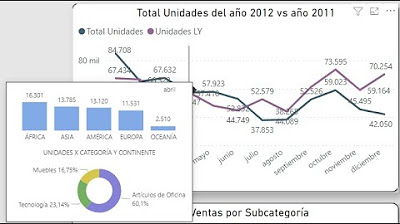
Introducción al Data StoryTelling Cápsula Uno: Cómo elegir el gráfico adecuado.

Telling a Story with Data | Dashboard Build Demo

Usability Test Facilitation: 6 Mistakes to Avoid

50 MORE Web Design Mistakes (And Why)

6 Accounts That Will Make You Rich : I Wish I Knew This Sooner

6 Worldbuilding Mistakes Every New Writer Makes
5.0 / 5 (0 votes)
