Project 2 MMBK
Summary
TLDRIn this asynchronous online course, students are tasked with creating an interactive multimedia project using Lumi Education and Google Sites. The project involves developing a multimedia book, an interactive multimedia component, and a video teaser. The final product will be a website showcasing these elements. Students will work in groups, each focusing on different parts of the project—website development, video production, or multimedia creation. Key steps include creating storyboards, exploring reference materials, and using Lumi Education’s tools to design interactive content, with the goal of creating an engaging and cohesive final presentation.
Takeaways
- 😀 The lecture is conducted asynchronously online and builds on previous observations made at schools.
- 😀 The main goal is to develop interactive multimedia materials based on the data collected from previous observations.
- 😀 Project Part 2 involves creating an interactive multimedia product using Lumi Education, a multimedia book from Project 1, and a website using Google Site.
- 😀 The final project will integrate three components: a website, video teaser, and multimedia book and interactive content.
- 😀 Team members should divide tasks among developing interactive multimedia, creating the website, and producing the video teaser, either sequentially or simultaneously.
- 😀 Students are advised to choose a reference interactive multimedia example from Rumah Belajar to guide their content creation.
- 😀 Storyboarding is encouraged to plan and organize the interactive multimedia content before using Lumi Education.
- 😀 Lumi Education's Course Presentation tool allows adding images, videos, links, quizzes, drag-and-drop activities, and other interactive elements.
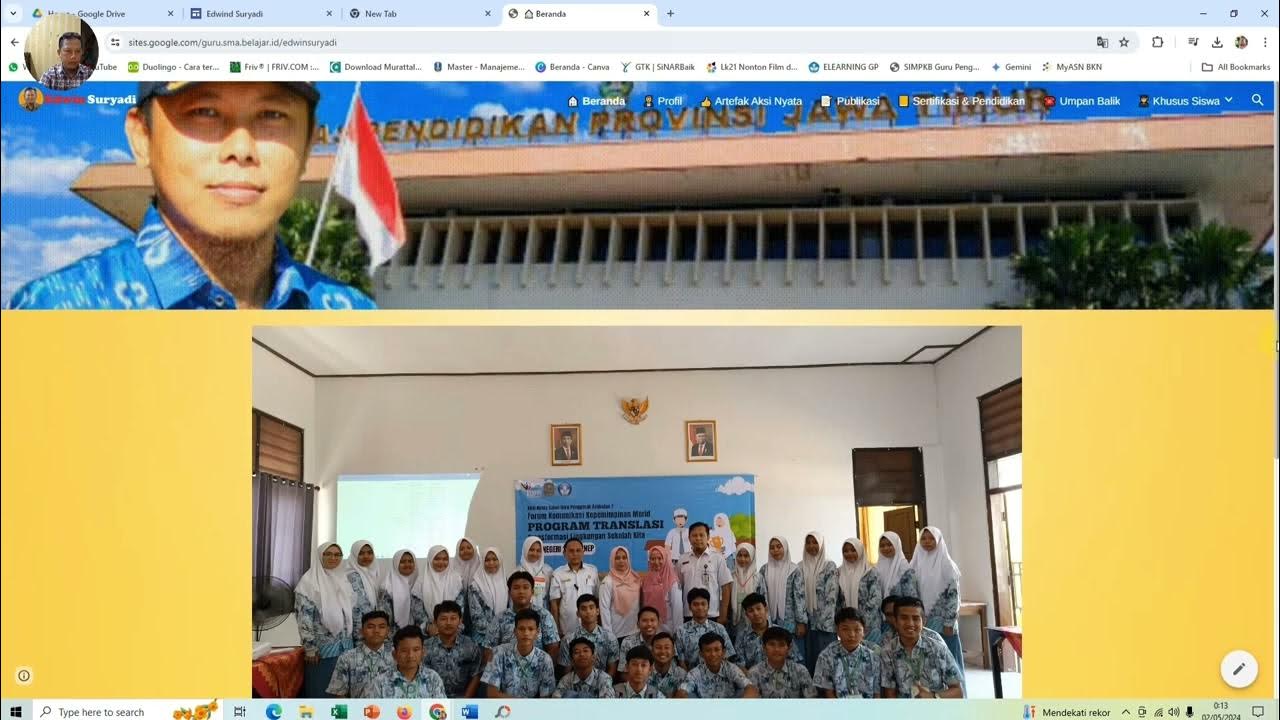
- 😀 The website should feature a Home page with descriptions, access to multimedia content, video teaser, and a feedback section, and an Our Teams page highlighting contributors.
- 😀 Students should explore Lumi Education and Rumah Belajar resources for inspiration and reach out to the instructor or mentor for guidance if needed.
- 😀 Emphasis is placed on user interactivity, non-linear navigation in multimedia slides, and integrating all project elements cohesively into the website.
Q & A
What is the focus of the second project mentioned in the script?
-The second project focuses on developing interactive multimedia using Lumi Education, creating a website to showcase both multimedia books and interactive multimedia, along with a teaser video to promote these products.
What are the components that need to be developed in Project 2?
-In Project 2, students need to develop interactive multimedia, a website using Google Sites, and a teaser video that promotes both the multimedia book and the interactive multimedia.
How should the group divide the tasks for the project?
-The group can divide the tasks by assigning someone to develop the website, another to design the teaser video, and another to focus on creating the interactive multimedia. Alternatively, these tasks can be done collaboratively by all group members.
What should the website include?
-The website should include a video teaser, the multimedia book, and the interactive multimedia. It should also feature a call-to-action for users to access these resources, along with feedback options for users to provide input.
What is the purpose of the video teaser on the website?
-The video teaser serves to promote the main products (multimedia book and interactive multimedia) and provide a brief introduction or advertisement for the two products.
What should be included on the 'Our Teams' page of the website?
-The 'Our Teams' page should feature information about the contributors to the project. It includes a brief biography of each group member and links to their respective contributions.
Where can students find examples of interactive multimedia for reference?
-Students can access examples of interactive multimedia on the website Rumahpendidikan.go.id, specifically in the 'Ruang Murid' section, where they can explore different educational topics and examples of interactive learning.
How should students approach creating their interactive multimedia content?
-Students should use Lumi Education to create their interactive multimedia. They need to design content using tools like course presentations, quizzes, and multimedia elements such as images and videos. The content should engage users interactively.
What is the key feature of the interactive multimedia examples shown in the transcript?
-The interactive multimedia examples include non-linear navigation through slides, where users can jump between slides in any order. They also feature interactive elements like drag-and-drop activities, quizzes, and essay questions to engage learners.
What is the first step students should take in Project 2 according to the script?
-The first step students should take is to design the material for the interactive multimedia. After that, they should choose a multimedia example as a reference and create a storyboard to plan the structure and presentation.
Outlines

Dieser Bereich ist nur für Premium-Benutzer verfügbar. Bitte führen Sie ein Upgrade durch, um auf diesen Abschnitt zuzugreifen.
Upgrade durchführenMindmap

Dieser Bereich ist nur für Premium-Benutzer verfügbar. Bitte führen Sie ein Upgrade durch, um auf diesen Abschnitt zuzugreifen.
Upgrade durchführenKeywords

Dieser Bereich ist nur für Premium-Benutzer verfügbar. Bitte führen Sie ein Upgrade durch, um auf diesen Abschnitt zuzugreifen.
Upgrade durchführenHighlights

Dieser Bereich ist nur für Premium-Benutzer verfügbar. Bitte führen Sie ein Upgrade durch, um auf diesen Abschnitt zuzugreifen.
Upgrade durchführenTranscripts

Dieser Bereich ist nur für Premium-Benutzer verfügbar. Bitte führen Sie ein Upgrade durch, um auf diesen Abschnitt zuzugreifen.
Upgrade durchführenWeitere ähnliche Videos ansehen



5.0 / 5 (0 votes)

