Do You Use a Passkey? Why Passwordless Login is the Future
Summary
TLDRPass keys offer a passwordless, more secure way to log in, replacing traditional passwords with cryptographic keys stored on your device. Supported by tech giants like Apple, Google, and Microsoft, pass keys provide stronger security, easier authentication through biometrics or PINs, and cross-device syncing. They're resistant to phishing, credential stuffing, and brute force attacks, offering peace of mind with no static passwords to steal. As more services adopt this technology, pass keys promise a smoother, more convenient online experience, paving the way for a password-free future.
Takeaways
- 😀 Passkeys offer a passwordless way to log in securely using biometric checks like Face ID, fingerprints, or a PIN.
- 😀 Passkeys are stored on your devices and help you avoid remembering long and complex passwords.
- 😀 Major tech companies like Apple, Google, and Microsoft are supporting passkeys, making them a growing trend in online security.
- 😀 Passkeys provide stronger security by being resistant to phishing, credential stuffing, and brute-force attacks.
- 😀 With passkeys, you can log in with a tap, scan, or glance, providing a more convenient and faster authentication method.
- 😀 Passkeys can sync across multiple devices, including phones, tablets, and desktops, through cloud accounts like iCloud, Google, or Microsoft.
- 😀 Losing a passkey isn't as problematic as forgetting a password, since recovery options are tied to your device ecosystem.
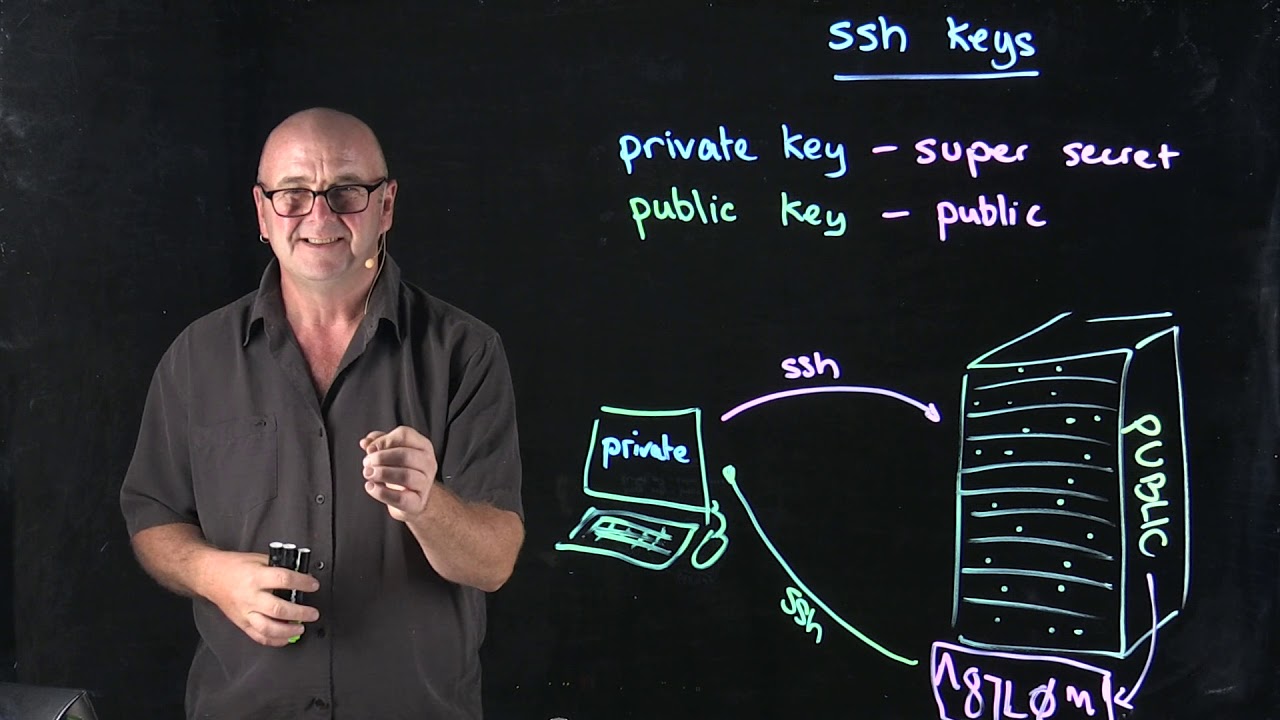
- 😀 Passkeys rely on public key cryptography, with a private key stored on your device and a public key stored by the service you’re logging into.
- 😀 Because the private key never leaves your device, it’s immune to interception even if a service’s database is breached.
- 😀 To start using passkeys, update your devices, check for supported services, enable biometrics or PINs, and back up your passkeys to the cloud.
- 😀 The future of online security is passwordless, with passkeys offering a smarter, safer, and smoother way to secure accounts.
Q & A
What are pass keys and how do they work?
-Pass keys are cryptographic keys stored on your devices that allow you to sign in securely with biometric verification like Face ID, fingerprint scanning, or a PIN. They work by using a pair of keys: a private key on your device and a public key stored by the service. The private key signs a unique challenge from the site, ensuring security without sending passwords over the internet.
Why are pass keys gaining popularity in online security?
-Pass keys are becoming popular because they offer enhanced security by being resistant to phishing, credential stuffing, and brute force attacks. Unlike passwords, there is no static password to steal. They also provide convenience and can sync across devices, making them an appealing solution for secure and seamless logins.
How do pass keys improve security compared to traditional passwords?
-Pass keys enhance security because there is no password to steal. They are based on public key cryptography, meaning the private key never leaves your device, making it impossible for hackers to intercept even if they breach a service's database.
What are the advantages of using pass keys over passwords?
-The main advantages of pass keys are stronger security, ease of use, and cross-device syncing. You can log in with a simple biometric scan, and pass keys are resistant to common attacks like phishing. They also sync across multiple devices, reducing the need for frequent password resets.
What steps do I need to take to start using pass keys?
-To start using pass keys, update your devices to ensure they support pass key technology. Check supported services like banks, email providers, and social networks. Enable biometrics (Face ID, Touch ID, etc.) or screen locks, and back up your pass keys using cloud accounts like iCloud, Google, or Microsoft.
What makes pass keys more convenient than passwords?
-Pass keys are more convenient because they allow you to log in using a quick biometric check, such as a fingerprint or facial recognition, eliminating the need to type long, complex passwords. They also work seamlessly across devices, making the login process faster and more user-friendly.
What role do cloud accounts play in using pass keys?
-Cloud accounts (such as iCloud, Google, or Microsoft) are essential for syncing pass keys across multiple devices. They also offer a recovery option in case you lose your device, ensuring that you don't lose access to your pass keys.
How does cross-device syncing work with pass keys?
-Pass keys sync through your cloud account, so once they're set up on one device, you can authenticate on other devices (phones, tablets, desktops) without needing to set up new credentials. This eliminates the hassle of password management across devices.
What happens if I forget my pass key?
-If you forget your pass key, it's not as much of a nightmare as forgetting a password. The recovery options are tied to your device ecosystem (like iCloud or Google), allowing you to restore your pass key through your cloud account, not a secret password phrase.
Are pass keys compatible with all services and devices?
-As of 2025, most major platforms and services, including many banks, email providers, and social networks, support pass keys. However, it's essential to check that your operating system and browsers are up-to-date to ensure compatibility.
Outlines

Dieser Bereich ist nur für Premium-Benutzer verfügbar. Bitte führen Sie ein Upgrade durch, um auf diesen Abschnitt zuzugreifen.
Upgrade durchführenMindmap

Dieser Bereich ist nur für Premium-Benutzer verfügbar. Bitte führen Sie ein Upgrade durch, um auf diesen Abschnitt zuzugreifen.
Upgrade durchführenKeywords

Dieser Bereich ist nur für Premium-Benutzer verfügbar. Bitte führen Sie ein Upgrade durch, um auf diesen Abschnitt zuzugreifen.
Upgrade durchführenHighlights

Dieser Bereich ist nur für Premium-Benutzer verfügbar. Bitte führen Sie ein Upgrade durch, um auf diesen Abschnitt zuzugreifen.
Upgrade durchführenTranscripts

Dieser Bereich ist nur für Premium-Benutzer verfügbar. Bitte führen Sie ein Upgrade durch, um auf diesen Abschnitt zuzugreifen.
Upgrade durchführenWeitere ähnliche Videos ansehen
SSH Keys
Passwordless Authentication with Azure AD and FIDO2 Security Keys and Yubikey Bio

Google Peringatkan Pengguna Gmail Untuk Update Akun Sebelum Terlambat

Dite ADDIO alle PASSWORD! La RIVOLUZIONE delle PASSKEY spiegata bene!

Teleco Renta | Lemnismath | Distribución de claves

Functionality and Usage of Key Vault - AZ-900 Certification Course
5.0 / 5 (0 votes)

