Menyusun WORKSHEET dengan 3 rumus (SUMIF, IF, IF(LEFT))
Summary
TLDRThis tutorial provides a step-by-step guide on how to use Excel formulas to complete an accounting worksheet. It covers the use of essential formulas like `SUMIF`, `IF`, and `LEFT` to handle tasks such as adjusting trial balances, income statements, and the Statement of Financial Position. The process involves inputting data, performing calculations, and applying specific formulas for various components of the worksheet, ultimately leading to the preparation of financial reports. The video emphasizes the importance of accuracy and clarity in organizing financial information for reporting purposes.
Takeaways
- 😀 The worksheet for accounting is created after completing the adjusted trial balance, which simplifies the process of preparing financial reports.
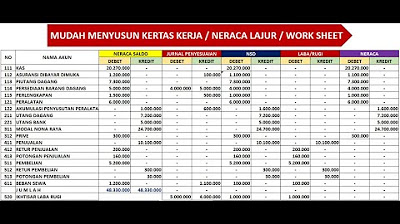
- 😀 There are five main components in the worksheet: Trial Balance Before Adjustments, Adjusting Entries, Adjusted Trial Balance, Income Statement, and Statement of Financial Position.
- 😀 The `SUMIF` formula is used to aggregate amounts from different accounts based on specified criteria, particularly for adjusting entries.
- 😀 To input adjusting entries, you need to name ranges in Excel to organize the data into debit, credit, and adjustment columns.
- 😀 The `IF` formula is used to calculate adjusted trial balances by comparing debit and credit totals from both trial balances and adjusting entries.
- 😀 The Income Statement is filled only with revenue and expense accounts, which are identified by account numbers starting from 4 and above.
- 😀 The `LEFT` formula is used to extract the first character of account numbers to filter accounts for the Income Statement and Statement of Financial Position.
- 😀 For the Statement of Financial Position, accounts with asset, liability, and equity types (account numbers 1, 2, and 3) are included.
- 😀 To calculate the net income or net loss, the difference between the total debit and credit balances in the Income Statement is used.
- 😀 The worksheet is completed by summing up the total values for each component using the `SUM` function and calculating the net income or net loss accordingly.
Q & A
What are the three main Excel formulas used in the worksheet tutorial?
-The three main formulas used are SUMIF, IF, and a combination of IF with LEFT.
What are the five components of a worksheet in the accounting cycle?
-The five components are: 1) Trial Balance before adjustment, 2) Adjusting Entries, 3) Adjusted Trial Balance, 4) Income Statement, and 5) Statement of Financial Position.
How do you input the trial balance data into the worksheet?
-You copy the account number, account name, and balance from the prepared trial balance into the worksheet, excluding the total row.
What is the purpose of naming ranges such as 'akun_adjustment', 'debit_adx', and 'kredit_adx' in Excel?
-Naming ranges helps simplify formulas and makes referencing specific data, such as debit and credit adjustments, easier when using SUMIF or other formulas.
How is the SUMIF formula used to input adjusting entries?
-The SUMIF formula sums the debit or credit amounts in the adjusting entries range based on the matching account name in the worksheet.
How do you calculate the adjusted trial balance using the IF formula?
-The IF formula checks if the total debits after adjustment are greater than total credits; if true, it calculates the difference for the debit column, and if false, it outputs zero. The same logic applies for the credit column.
Which accounts are included in the Income Statement component of the worksheet?
-Accounts with numbers starting from 4 to 9, which represent revenue and expense accounts, are included in the Income Statement.
Why is the LEFT function combined with IF when entering data for the Income Statement and Statement of Financial Position?
-The LEFT function extracts the first character of the account number to determine whether the account belongs to the Income Statement (accounts 4–9) or Statement of Financial Position (accounts 1–3).
How is net income calculated in the worksheet?
-Net income is calculated as the difference between total debit and credit balances in the Income Statement. If total credits exceed total debits, the company has a net income equal to that difference.
How do you sum the totals for each worksheet component in Excel?
-You select the range of values for each component, including net income, and use the AutoSum function to calculate the total.
Why is it important to place the net income in the correct position in the worksheet?
-Net income must be placed in the lower debit or credit cell depending on whether debits are lower than credits, to ensure the totals for the Income Statement and Statement of Financial Position balance correctly.
Outlines

Этот раздел доступен только подписчикам платных тарифов. Пожалуйста, перейдите на платный тариф для доступа.
Перейти на платный тарифMindmap

Этот раздел доступен только подписчикам платных тарифов. Пожалуйста, перейдите на платный тариф для доступа.
Перейти на платный тарифKeywords

Этот раздел доступен только подписчикам платных тарифов. Пожалуйста, перейдите на платный тариф для доступа.
Перейти на платный тарифHighlights

Этот раздел доступен только подписчикам платных тарифов. Пожалуйста, перейдите на платный тариф для доступа.
Перейти на платный тарифTranscripts

Этот раздел доступен только подписчикам платных тарифов. Пожалуйста, перейдите на платный тариф для доступа.
Перейти на платный тарифПосмотреть больше похожих видео
Pembahasan Soal UKK Akuntansi 2019/2020 - Soal 2 Spreadsheet
KERTAS KERJA - NERACA LAJUR - WORK SHEET - PERUSAHAAN DAGANG

PART 8 PEMBUATAN APLIKASI EXCEL AKUNTANSI 2023 | NERACA - POSISI KEUANGAN

Solve Linear Program problem in Excel (Solver)

Create PDF’s of Any Worksheet with a Single Button Click

Excel Jurnal umum, buku besar, neraca saldo dengan rumus VLOOKUP, SUMIF, IF, hanya 9 menit
5.0 / 5 (0 votes)

