Linux Rapid Compromise Assessment - Craig H. Rowland [keynote]
Summary
TLDRThis video provides a comprehensive guide on identifying signs of system compromise and forensic analysis. The speaker outlines key methods for detecting unauthorized access, such as examining history files, SSH keys, cron jobs, and system logs. Focus is placed on recognizing anomalies in user activity, file tampering, and suspicious processes. By using simple tools and paying close attention to common mistakes, administrators can effectively identify breaches. The speaker emphasizes that spotting just one error in the attack chain can thwart an intruder, offering practical tips for system monitoring and defense.
Takeaways
- 😀 History files, even empty ones, can indicate suspicious activity or unauthorized access. A history file for a user like 'www' is unusual and should be investigated.
- 😀 SSH keys under unexpected users (like 'bin' or 'www') can indicate an attacker has gained unauthorized access and may be trying to maintain persistence.
- 😀 Attackers often use cron jobs and scheduled tasks as persistence mechanisms to ensure they can return to a compromised system. Always check for unfamiliar cron jobs.
- 😀 Log file manipulation is common among attackers. If log files are missing or have been zeroed out, it may signal an attempt to cover tracks.
- 😀 Simple tools like `crontab -l`, `at` commands, or `utmpdump` can be extremely helpful in detecting unauthorized activity and persistence mechanisms.
- 😀 Pay attention to user login times and unusual login behaviors, such as a login shell being used unexpectedly or SSH access from strange users.
- 😀 Common log files like `/var/log/wtmp`, `/var/log/auth.log`, and `audit logs` are often targeted by attackers to erase traces of their presence.
- 😀 Look for subtle signs of tampering, such as identical timestamps across multiple files, which can indicate log file manipulation.
- 😀 Attackers often try to clean or overwrite logs, making it crucial to regularly monitor logs for signs of tampering or unusual patterns.
- 😀 The 'one mistake' rule suggests that attackers will often make small, detectable errors. Focus on finding that one mistake to catch them.
- 😀 In security, simplicity is key. Regular attention to basic tasks like checking processes, files, users, and logs can help uncover intrusions effectively.
Q & A
What is the significance of examining a user's history file in detecting unauthorized access?
-A user's history file, such as `.bash_history`, can reveal unusual activity like odd login times or commands that were run. Even a zero-byte history file could indicate that an attacker cleaned their traces but still left evidence behind. It's an important forensic step in identifying potential compromises.
Why is it suspicious if an SSH key is found under a user like 'bin' or 'www'?
-SSH keys under unexpected users like 'bin' or 'www' are suspicious because these users typically shouldn't require SSH access. Attackers often place their SSH keys under these users to maintain access to the system, which is a common persistence mechanism.
How do cron jobs serve as a persistence mechanism for attackers?
-Attackers can use cron jobs to schedule malicious scripts to run at specific intervals. If you find a cron job with an unfamiliar or suspicious script, it could indicate that the attacker has set it up to ensure they can regain access to the system even after being removed.
What should be examined when suspicious log file activities are suspected?
-Log files, especially those in directories like `/var/log/`, are commonly targeted by attackers to erase traces of their activity. Look for signs of tampering, such as zero-byte audit logs, missing login records, or inconsistent timestamps. These anomalies can point to log cleaning attempts.
What is the significance of a zero-byte audit log, and what does it indicate?
-A zero-byte audit log is a strong indicator that someone has tampered with or erased logs to cover their tracks. It suggests an attempt to hide unauthorized access or malicious actions that were previously logged, which is a common tactic among attackers.
What is the 'kill chain,' and how does it relate to detecting attacks?
-The 'kill chain' refers to the sequence of events an attacker goes through to complete their attack. Catching an attacker at any point in this chain—whether it's during the initial exploitation, lateral movement, or exfiltration—can prevent the full attack. It's important to focus on detecting and halting the attacker early in this chain.
How can simple tools help detect attacks, and why are they preferred over complex solutions?
-Simple tools, like `find`, `last`, and `utmpdump`, can quickly highlight unusual system activities, such as suspicious logins or files. They are often more practical and effective for system administrators compared to complex solutions, which may be prone to missing subtle signs of compromise.
What role do persistent mechanisms like modified kernel modules play in system compromises?
-Persistent mechanisms like modified kernel modules are advanced methods attackers use to maintain long-term access to a compromised system. These modifications allow attackers to survive system reboots and evade detection by traditional security measures.
Why is it important to regularly check cron jobs and user files for unfamiliar changes?
-Regularly checking cron jobs and user files helps detect unauthorized modifications, such as the creation of new cron jobs or unexpected changes in user permissions. Attackers often leave behind such changes to maintain access and ensure that they can return to the system later.
How can the command `utmpdump` help in identifying log tampering?
-The `utmpdump` command is useful for examining login records stored in `/var/log/utmp`. If an attacker has tampered with the logs, `utmpdump` can reveal blank or zeroed-out entries, which indicate attempts to erase traces of unauthorized logins and activities.
Outlines

このセクションは有料ユーザー限定です。 アクセスするには、アップグレードをお願いします。
今すぐアップグレードMindmap

このセクションは有料ユーザー限定です。 アクセスするには、アップグレードをお願いします。
今すぐアップグレードKeywords

このセクションは有料ユーザー限定です。 アクセスするには、アップグレードをお願いします。
今すぐアップグレードHighlights

このセクションは有料ユーザー限定です。 アクセスするには、アップグレードをお願いします。
今すぐアップグレードTranscripts

このセクションは有料ユーザー限定です。 アクセスするには、アップグレードをお願いします。
今すぐアップグレード関連動画をさらに表示

HOW TO ANALYSE WANNACRY RANSOMWARE USING MEMORY FORENSICS (VOLATILITY, BULK EXTRACTOR AND WIRESHARK)

Analisis dan Desain Sistem - PART 1 | Analisis dan Perancangan Sistem Informasi
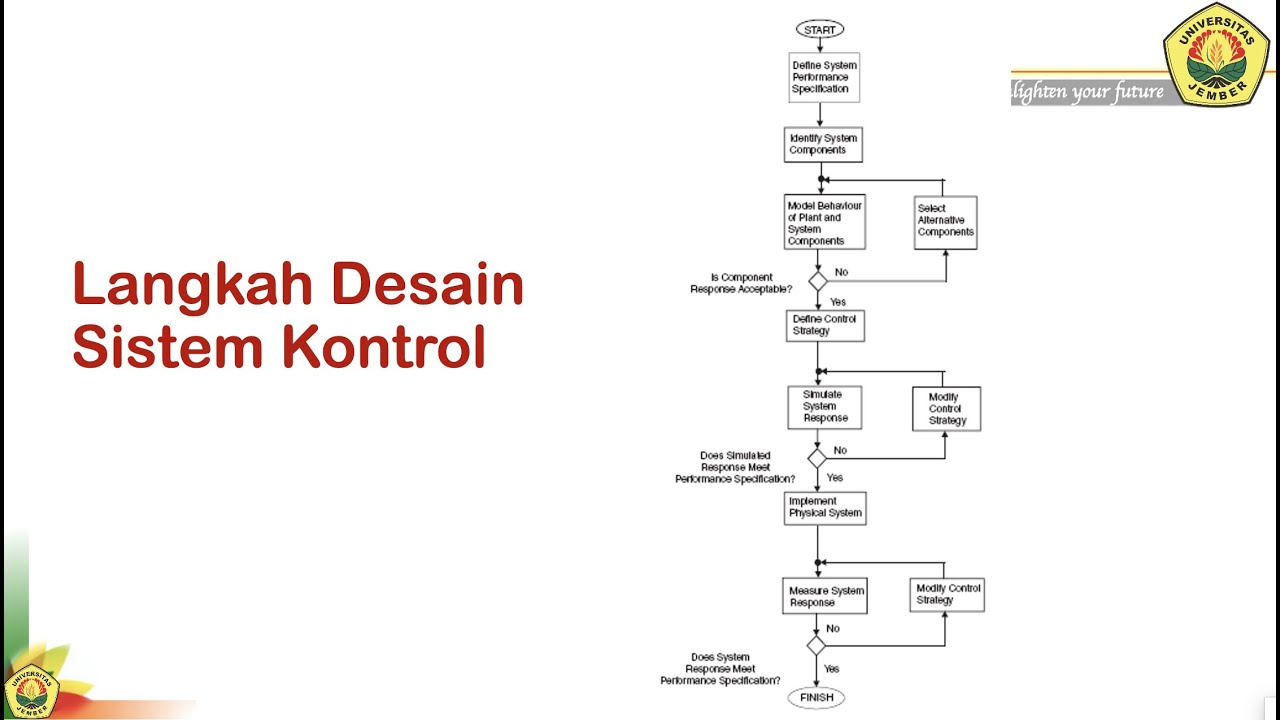
SK#1c Sistem Kontrol: Langkah - langkah Desain
Introduction to Cyber Triage - Fast Forensics for Incident Response

Avaliação Semiológica e Diagnóstico em Pequenos Animais - Aula 4.2

10 Signs Your Clothing is Low Quality
5.0 / 5 (0 votes)

