Searching Algoritms - Linear and Binary Search
Summary
TLDRThis lesson explores searching and sorting algorithms, focusing on linear and binary search. Linear search checks each element sequentially, making it simple but inefficient for large datasets. Binary search, ideal for sorted arrays, uses a divide-and-conquer strategy, quickly narrowing the search space by repeatedly halving it. The video explains how to implement both algorithms, demonstrates optimized calculations to prevent errors with large numbers, and compares their efficiency through examples. It concludes with an introduction to sorting algorithms, including bubble sort, insertion sort, and selection sort, emphasizing the importance of sorting for effective searching and data management.
Takeaways
- 😀 Linear Search checks each element sequentially in an unsorted list until a match is found or the list ends.
- 😀 Linear Search is efficient for small datasets but becomes slow with large numbers of elements (e.g., 100,000 or 1 million).
- 😀 Binary Search is more efficient than Linear Search but works only on sorted arrays or lists.
- 😀 Binary Search repeatedly divides the search interval in half to quickly narrow down the target element's position.
- 😀 The formula for calculating the middle index in Binary Search is 'mid = (lower + upper) // 2' for smaller numbers, or an optimized version to avoid integer overflow.
- 😀 In Binary Search, if the middle element matches the target, the index is returned. If not, the search space is halved depending on whether the target is greater or smaller than the middle element.
- 😀 Binary Search has a time complexity of O(log n), making it much faster than Linear Search for large datasets.
- 😀 Bubble Sort compares and swaps adjacent elements, repeatedly moving larger elements to the end of the array, making it inefficient for large lists (O(n²)).
- 😀 Insertion Sort builds a sorted array incrementally by placing each element in its correct position among the already sorted elements (O(n²) time complexity).
- 😀 Selection Sort finds the smallest (or largest) element from the unsorted portion of the array and swaps it with the first unsorted element, also having a time complexity of O(n²).
Q & A
What is the main difference between Linear Search and Binary Search?
-The main difference is that Linear Search checks each element sequentially until a match is found, while Binary Search divides the list into halves and eliminates half of the remaining elements at each step, making it much more efficient for large sorted lists.
Why is Linear Search not ideal for large datasets?
-Linear Search is inefficient for large datasets because it checks each element one by one, leading to a time complexity of O(n). This results in many iterations, especially with large arrays (e.g., 100,000 or 1 million elements).
When should Binary Search be used?
-Binary Search should be used when the dataset is sorted, as it only works with sorted arrays or lists. It is much faster than Linear Search, with a time complexity of O(log n), making it ideal for large datasets.
What is the purpose of the optimized formula for calculating the middle index in Binary Search?
-The optimized formula, `mid = low + (high - low) / 2`, is used to prevent integer overflow when dealing with large values of `low` and `high`, which could exceed the integer data type limit when using the simple formula `mid = (low + high) / 2`.
What happens if Binary Search is applied to an unsorted array?
-Binary Search will not work properly on an unsorted array, as it relies on the array being sorted. If applied to an unsorted array, it will likely return incorrect results, as the algorithm assumes that the elements are ordered.
Why does the Linear Search algorithm have a time complexity of O(n)?
-Linear Search has a time complexity of O(n) because in the worst-case scenario, it may need to check every element in the array sequentially, where `n` is the total number of elements in the list.
Can Binary Search be used on an unsorted array?
-No, Binary Search requires the array to be sorted. It works by comparing the middle element and halving the search range, which only makes sense when the data is ordered.
What is the basic idea behind the Binary Search algorithm?
-Binary Search works by repeatedly dividing the search space in half. It compares the middle element with the target value, and depending on whether the target is smaller or larger, it narrows the search interval to the left or right half of the current range.
Why is the time complexity of Binary Search O(log n) while Linear Search is O(n)?
-Binary Search has a time complexity of O(log n) because it reduces the search space by half with each iteration. In contrast, Linear Search has a time complexity of O(n) because it potentially checks each element in the array, with no reduction in the search space.
What are the basic sorting algorithms introduced in the script, and what are their primary differences?
-The script introduces Bubble Sort, Insertion Sort, and Selection Sort. Bubble Sort repeatedly compares adjacent elements and swaps them if necessary. Insertion Sort builds a sorted portion of the array one item at a time. Selection Sort selects the smallest (or largest) element and moves it to its correct position. The main differences lie in their approach to sorting and efficiency, with Bubble Sort being the least efficient in most cases.
Outlines

このセクションは有料ユーザー限定です。 アクセスするには、アップグレードをお願いします。
今すぐアップグレードMindmap

このセクションは有料ユーザー限定です。 アクセスするには、アップグレードをお願いします。
今すぐアップグレードKeywords

このセクションは有料ユーザー限定です。 アクセスするには、アップグレードをお願いします。
今すぐアップグレードHighlights

このセクションは有料ユーザー限定です。 アクセスするには、アップグレードをお願いします。
今すぐアップグレードTranscripts

このセクションは有料ユーザー限定です。 アクセスするには、アップグレードをお願いします。
今すぐアップグレード関連動画をさらに表示

3 Types of Algorithms Every Programmer Needs to Know

EDB1 IMD UFRN (2020.6): Problema de Ordenação
Learn Searching and Sorting Algorithm in Data Structure With Sample Interview Question

Linear search in data structure in Hindi | Searching

8.2 Searching in Arrays | Linear and Binary Search | C++ Placement Course |
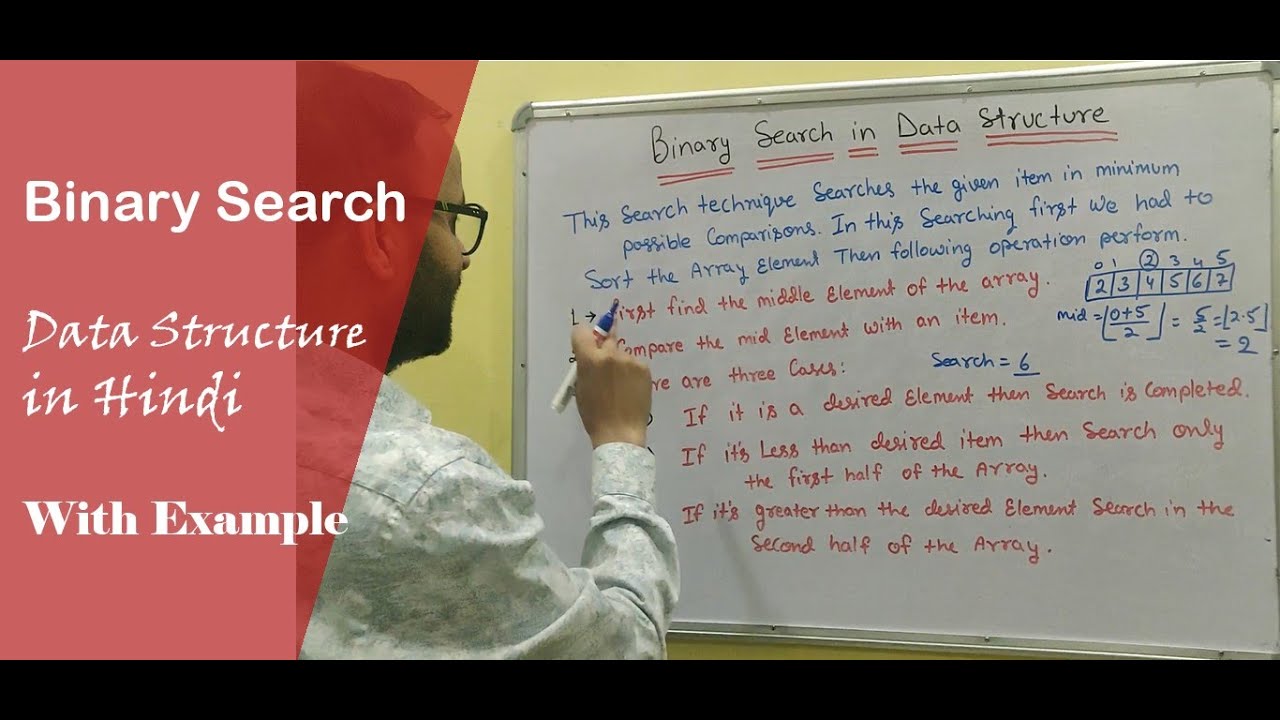
Binary Search in Data structure Hindi | with Algorithm Example | CS gyan
5.0 / 5 (0 votes)

